6) Incorrect letters in your local language?
If your local language characters are not correctly displayed in the Ozols TMS, please follow these steps:
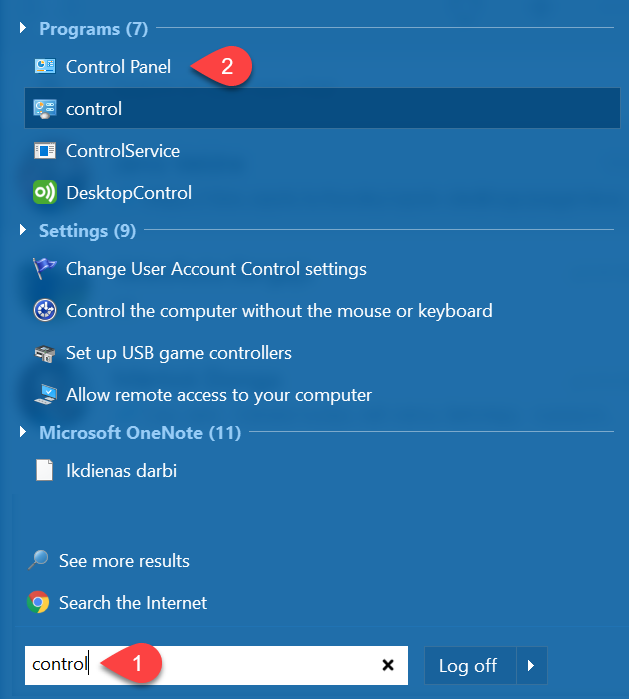
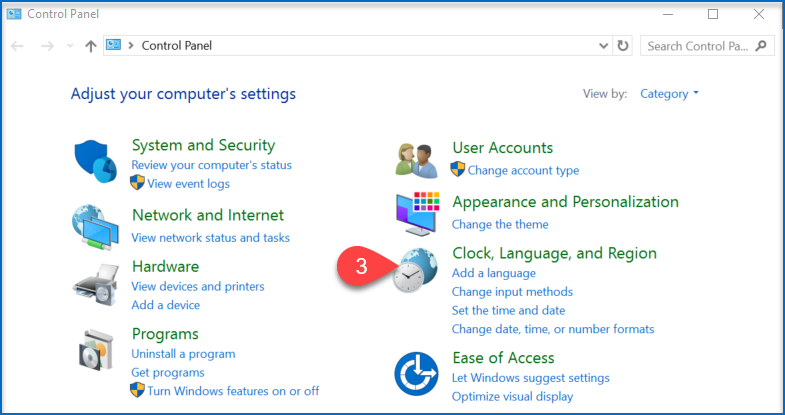
IzvēlasSelect Clock, Language, and Region ③ (3) ⇒ Region ④ (4)
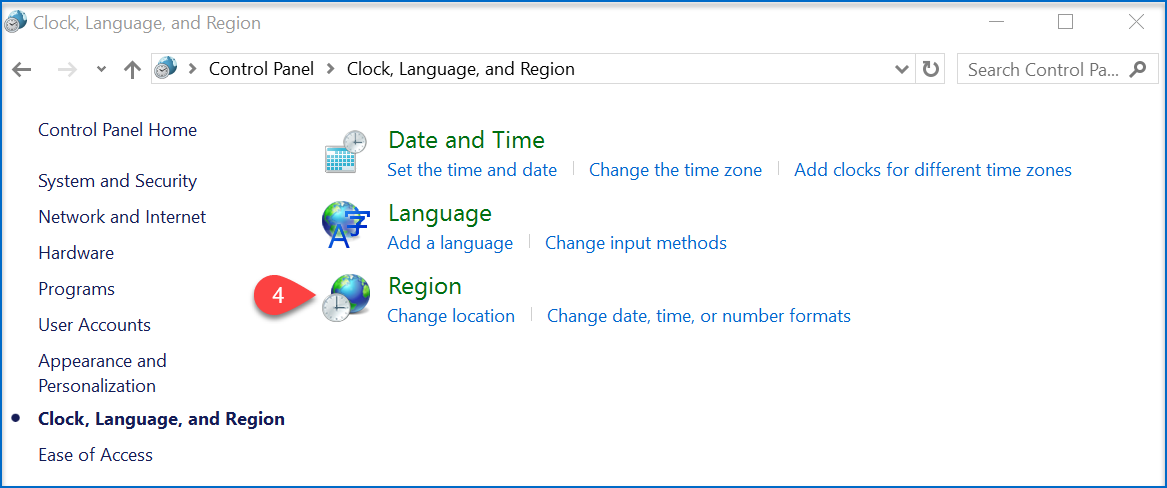
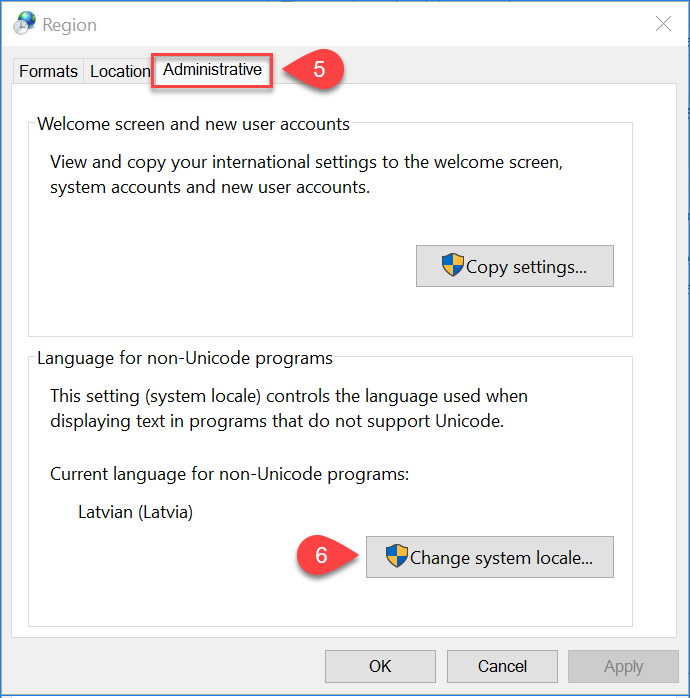
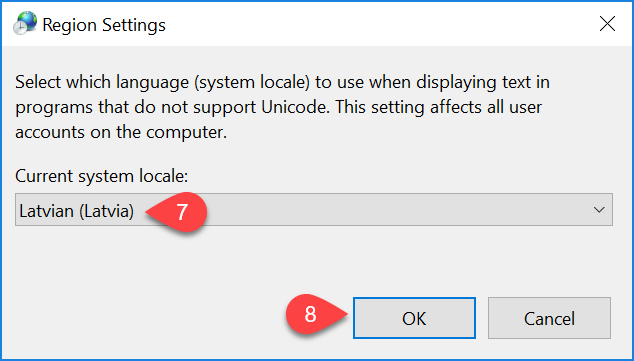
AtverOpen Administrative ⑤ (5)⇒ MainītChange sistēmassystem noklusējumalocale... valodu⑥ (6) ⇒ izvēlasselect your preferred language ⑦ latviešu valodu (7) ⇒ SaglabāSave changes izmaiņas (8)⑧