6) Incorrect letters in your local language?
If your local language characters are not correctly displayed in the Ozols TMS, please do following steps in your computer:
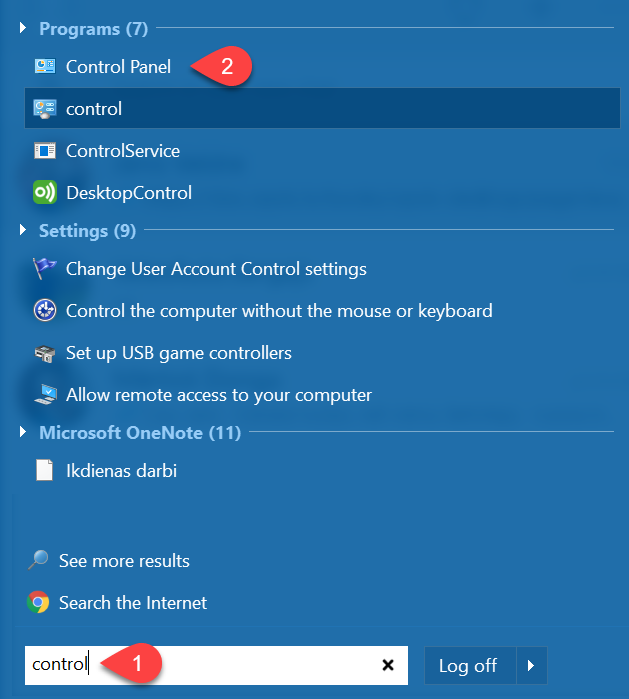
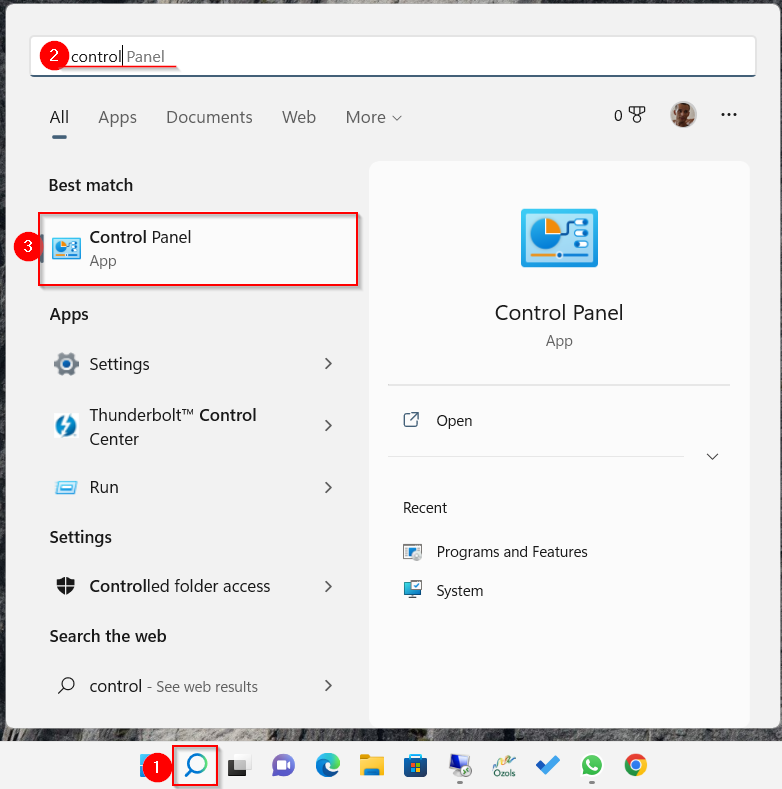
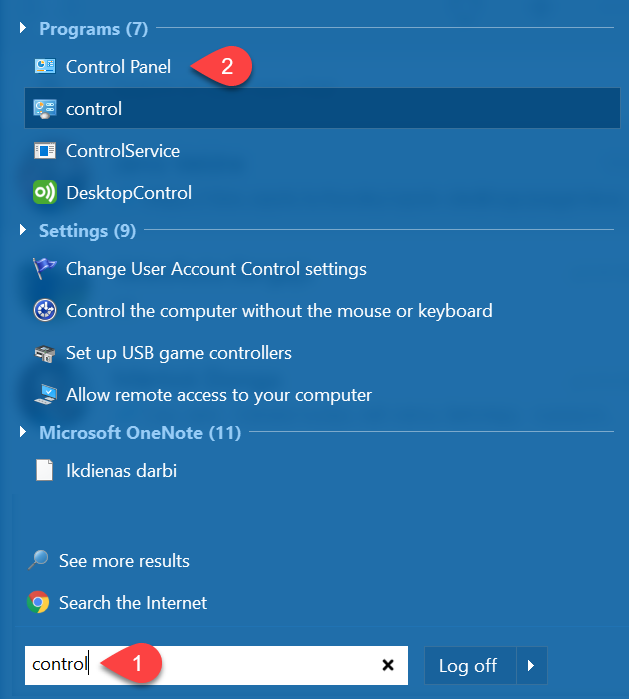
- In Windows “Start menu” write "Control" or "Panel"
- Choose Control Panel
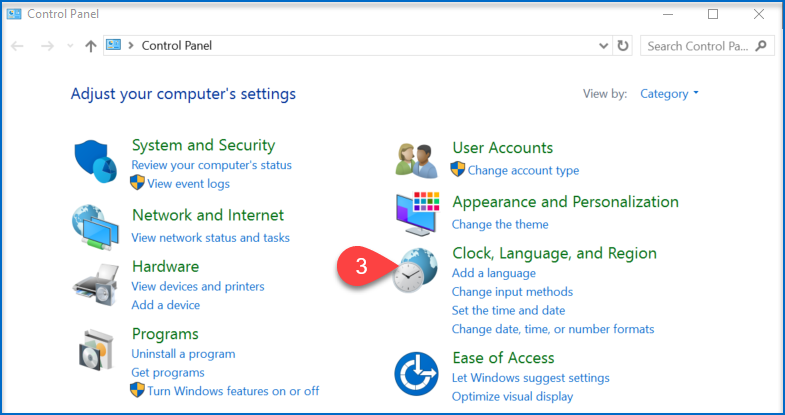
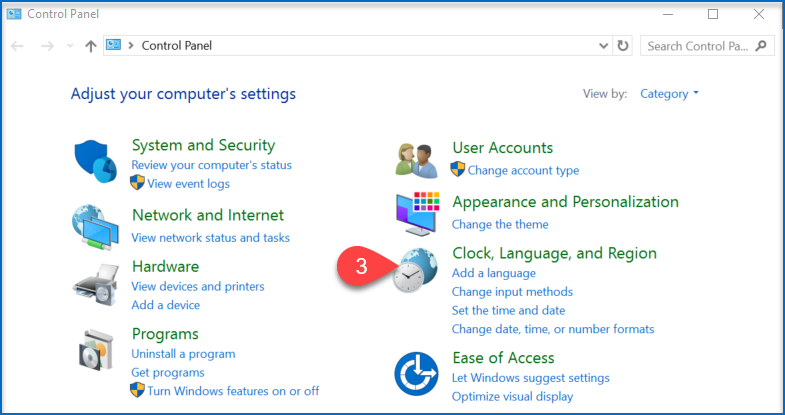
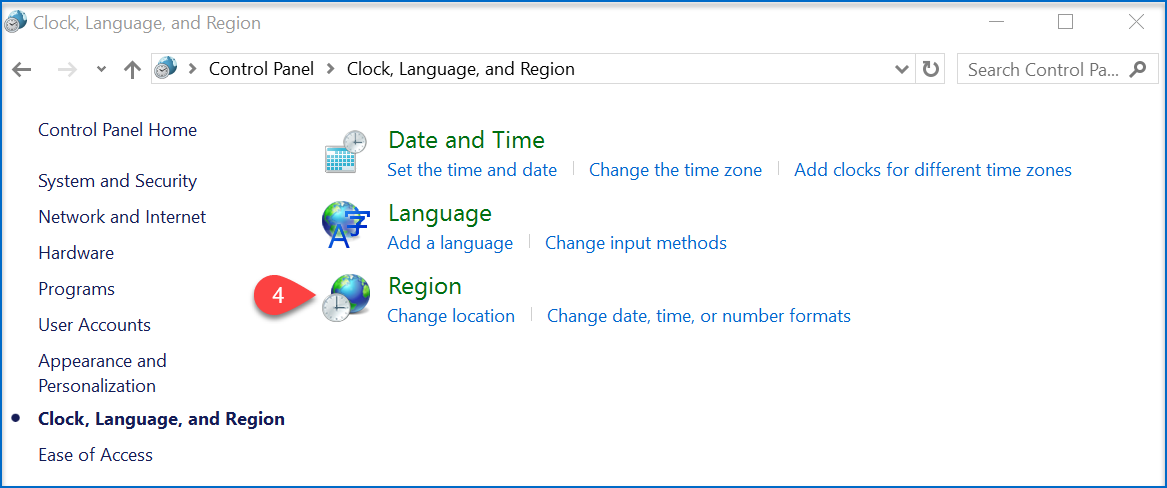
- Select Clock, Language, and Region
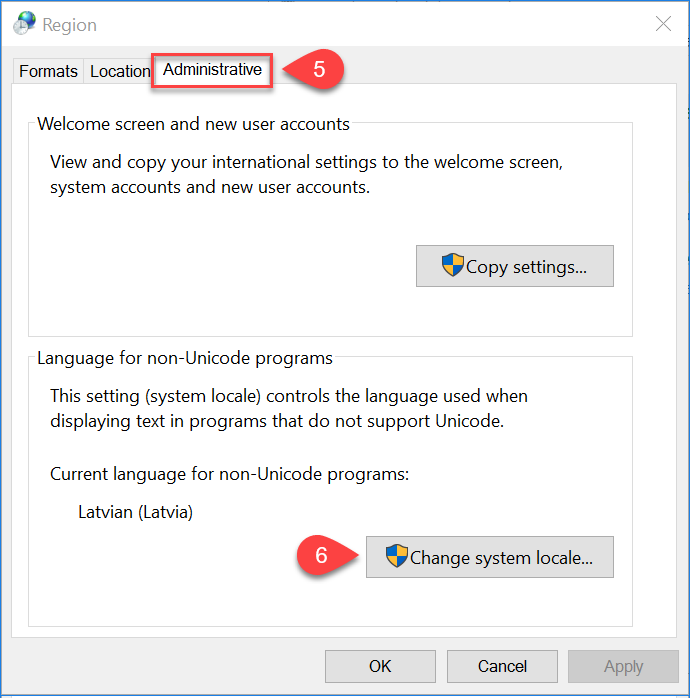
- Region
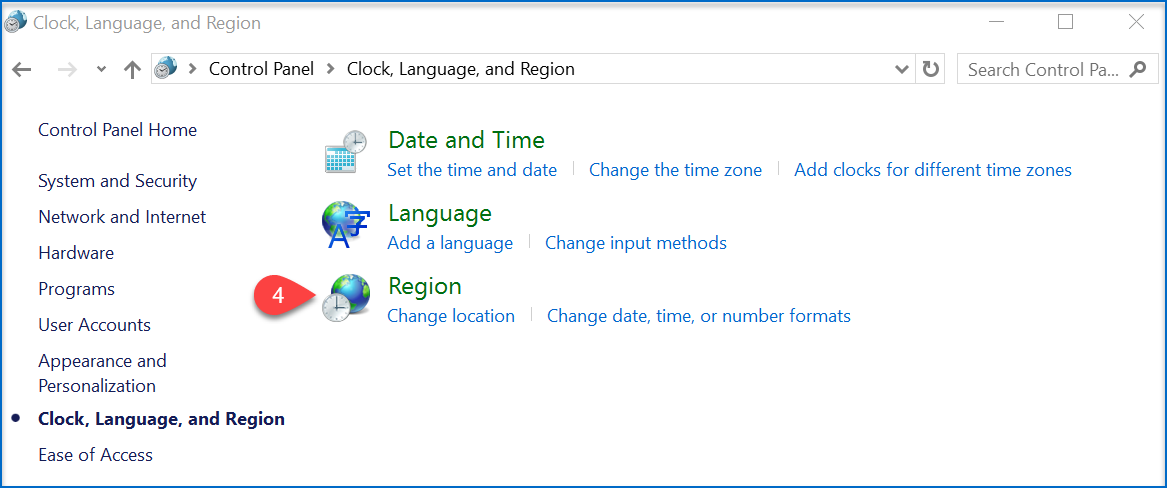
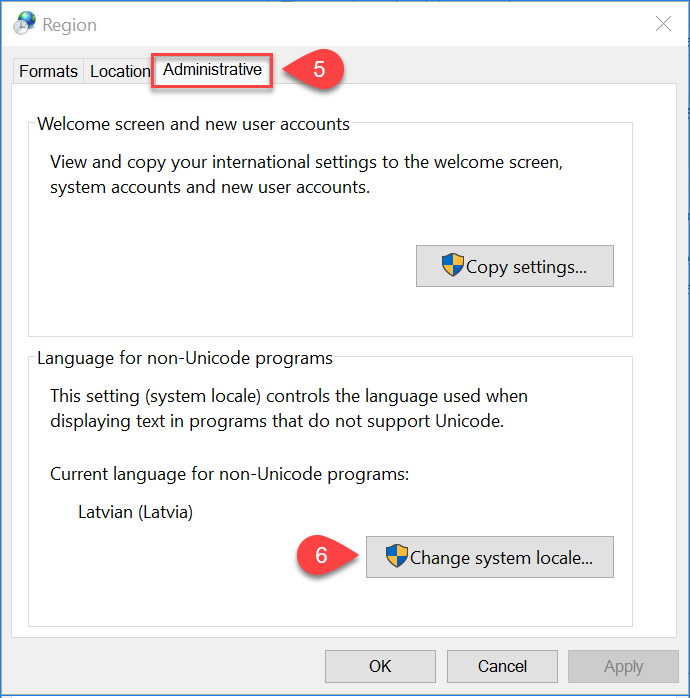
- Open Administrative
- Change system locale...
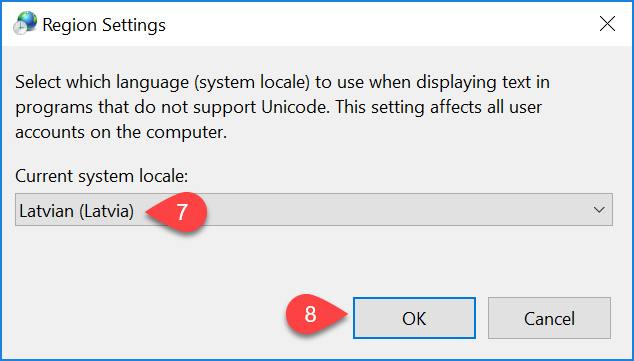
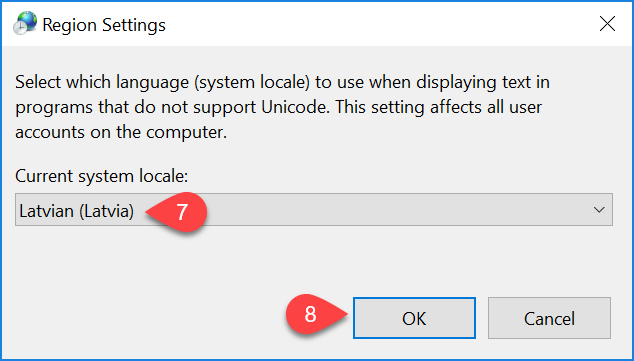
- Select your preferred language
- Save changes
If the above instructions have not solved the problem, please contact OZOLS TMS Customer Support at info@cloudex.lv or call +37 (283) 8 83 00
No comments to display
No comments to display