6) Incorrect letters in your local language?
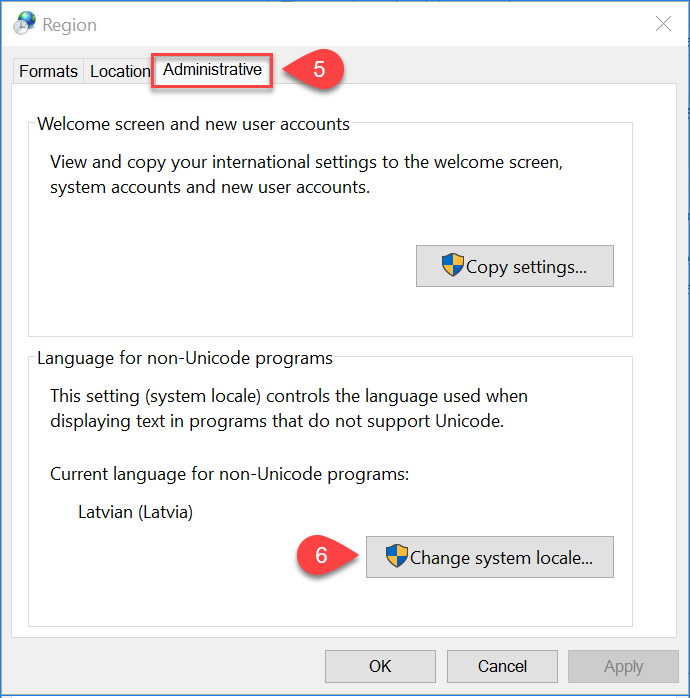
If your local language characters are not correctly displayed in the Ozols TMS, please followdo thesefollowing steps:steps in your computer:
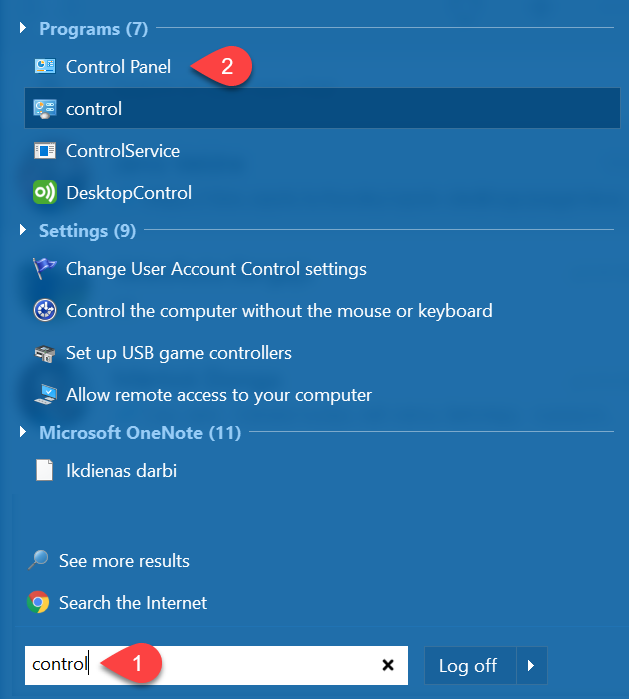
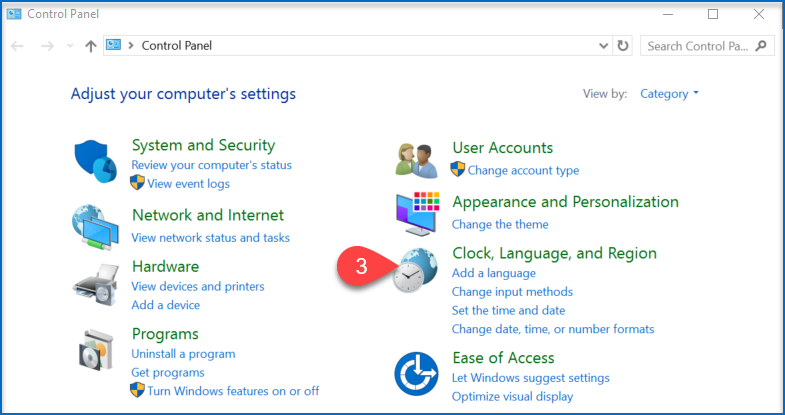
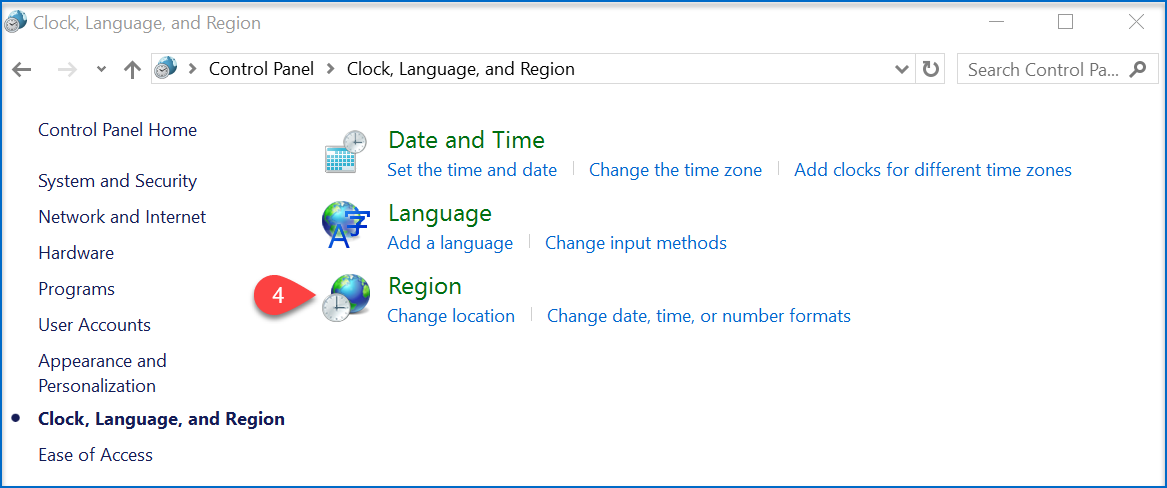
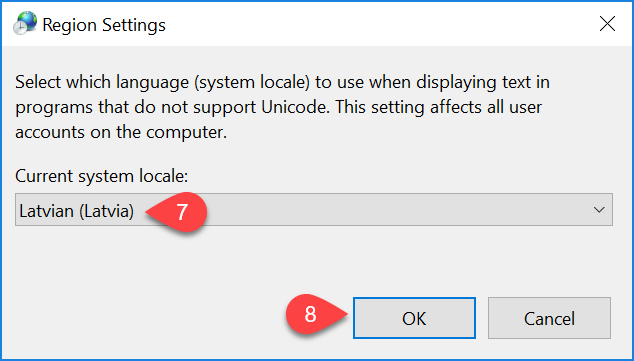
Open Administrative ⑤ ⇒ Change system locale... ⑥ ⇒ select your preferred language ⑦ ⇒ Save changes ⑧
If the above instructions have not solved the problem, please contact OZOLS TMS Customer Support at info@cloudex.lv or call +371-28-38-83-00