Information for the driver
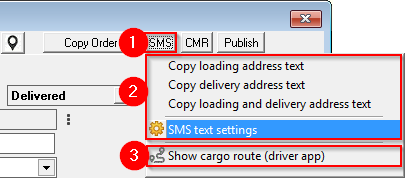
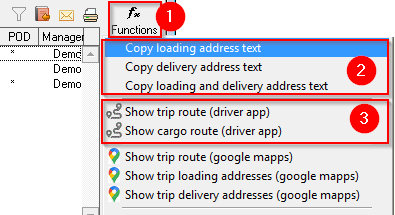
You can quickly send an SMS to the driver with information about the cargo from the Client's order and from the Trip/ Spedition windows.
1) Client order in the window on the upper right side, press the button " SMS "
Trip/Spedition in the window on the right side, press the button " Functions "
2) Select the necessary information for SMS
3) Send cargo information in the Driver application (No installation of application is required!)
SMS from the Customer's order window
SMS from the Trip/Spedition window
SMS text settings
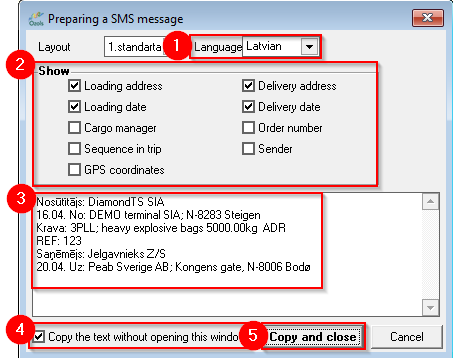
It is possible to customize the information that is sent to the driver:
1. Language of the text message;
2. Show: what information to include;
3. Message text preview ;
4. Tick here to set as default and not reopen this window next time;
5. Copy and close. Freight delivery information has been copied. Open your desired application (whats-app etc.) and press "Paste" or ctrl+v to paste.