6.2. One invoice for many orders
If necessary to issue one invoice for several Client orders, there are 2 approaches:
- One invoice for several selected orders
- Add each order one by one to the outgoing invoice
1. One invoice for several selected orders
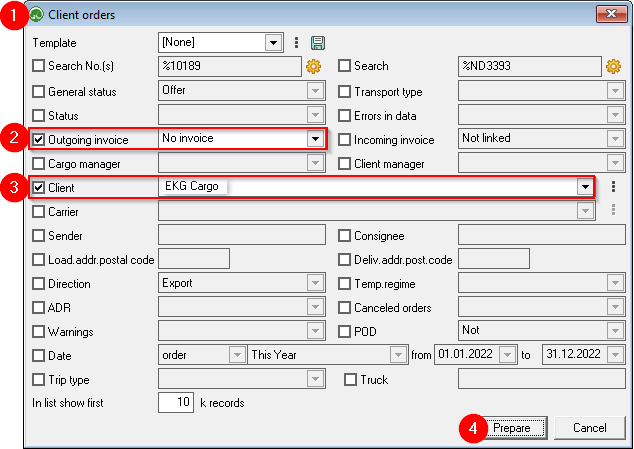
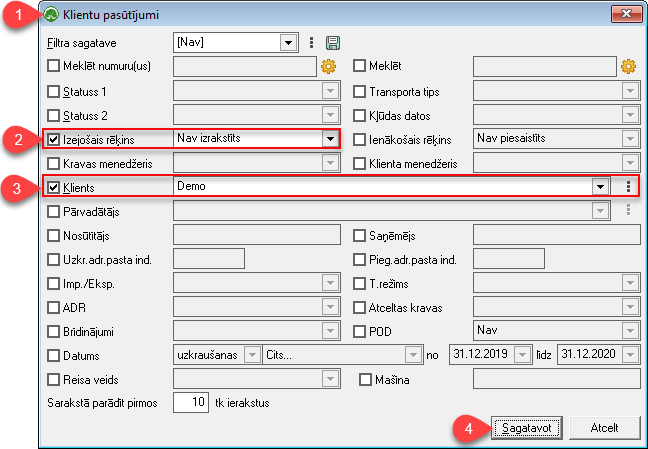
1)
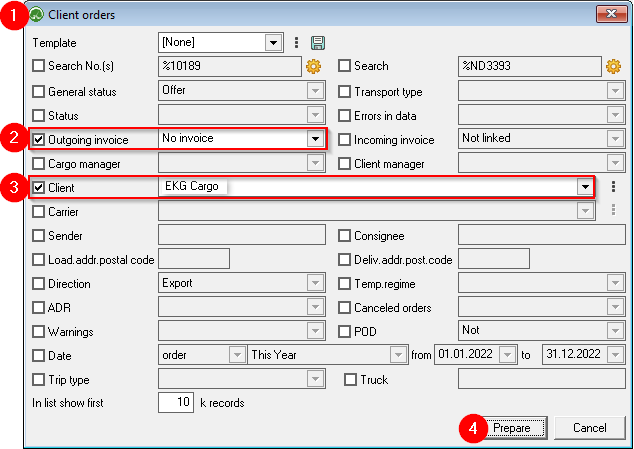
- Open the Client order filter;
2)
- Mark Outgoing invoice - Not issued;
3)
- Selects the Client to whom invoices for orders must be issued;
4)
- Confirm the filter.
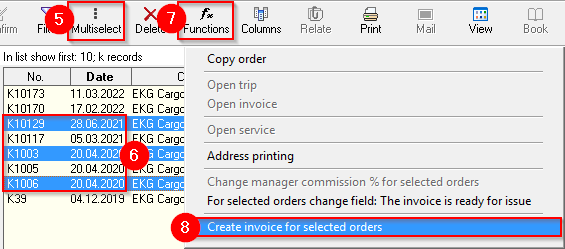
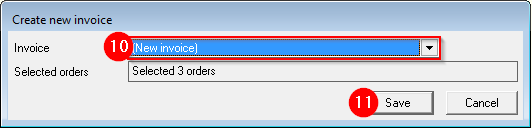
5)
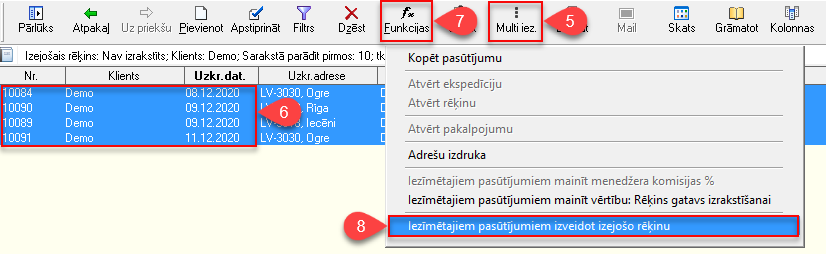
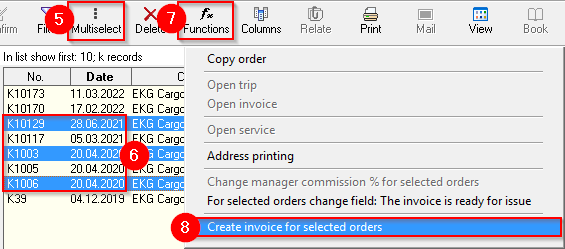
Press
the the Muti select
button ;
6)
While holding the
Ctrl key with the mouse, mark the orders for which an invoice must be created;
7)
Press the
Functions 
button ;
8)
Chooses to create an outgoing invoice for marked orders;
9)
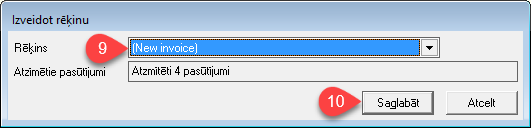
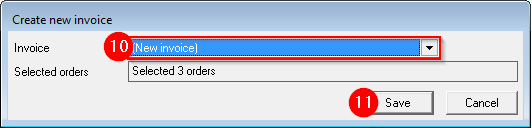
Selects
New invoice, if a new invoice needs to be created, or selects an invoice
already created for this
client;
10)
Save - a prepared invoice will open.
Read about further steps
here .
2. Add each order one by one to the outgoing invoice
1)
- Open
the the Client order , which will be added as the first in the combined invoice to the Client.
2)
Selects Selects Create a new invoice and save.
3)
Open the
next next order of the same Customer , which must be added to the combined invoice, and select Add to invoice no. .... (this time the invoice previously created for the Customer will be visible here).




 button ;