Payment cancellation acts
The Payment cancellation act shall cancel the financial obligations between the outgoing and incoming invoices of the business partner.
To create a new Payment cancellation acts:
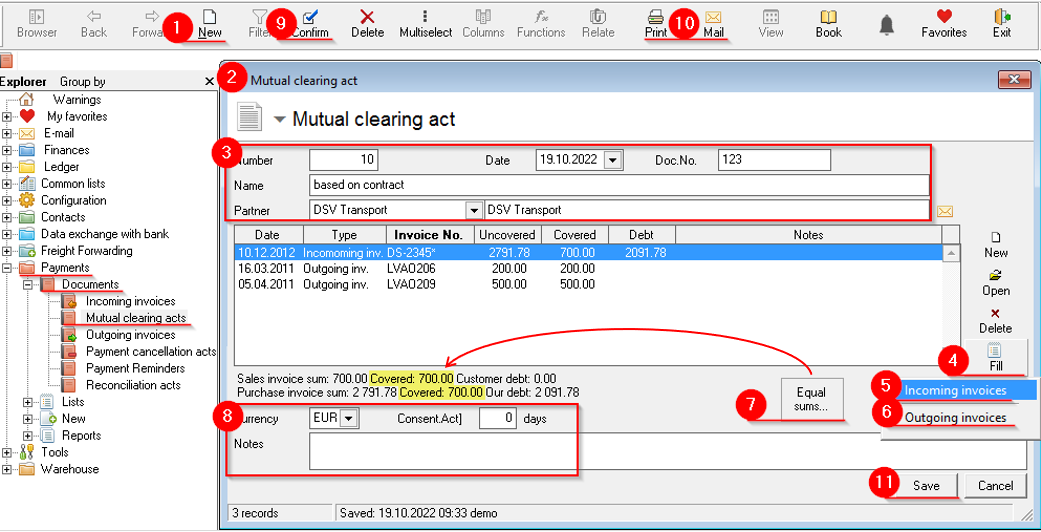
- Ozols > Payments > Documents > Payment cancellation acts > in the toolbar press New

- A new window opens Mutual clearing act
- In the header, indicate the date, document number, name (for example: according to the contract) and select the required cooperation partner from the list .
- Press the Fill button

- Choose Incoming invoices
5.1. The Unpaid incoming invoices window opens . By holding down the ctrl key, mark with mouse the necessary invoices and by pressing or with a double click of the mouse, add the invoices to the act
 - Press the Fill button again and select Outgoing invoices
6.1. The Unpaid outgoing invoices window opens . By holding down the ctrl key, mark with mouse the necessary invoices and by pressing or with a double click of the mouse, add the invoices to the act - Press the Equalize sums button

!!! the amount of covered amount on both sides has to be the same! - Enter currency, consent term and notes if needed
- The created act is confirmed by pressing the button on the toolbar

- To print the document, press the Print
 button on the toolbar to send to e-mail Mail
- You need to press the button to save


Sample of Mutual clearing act:
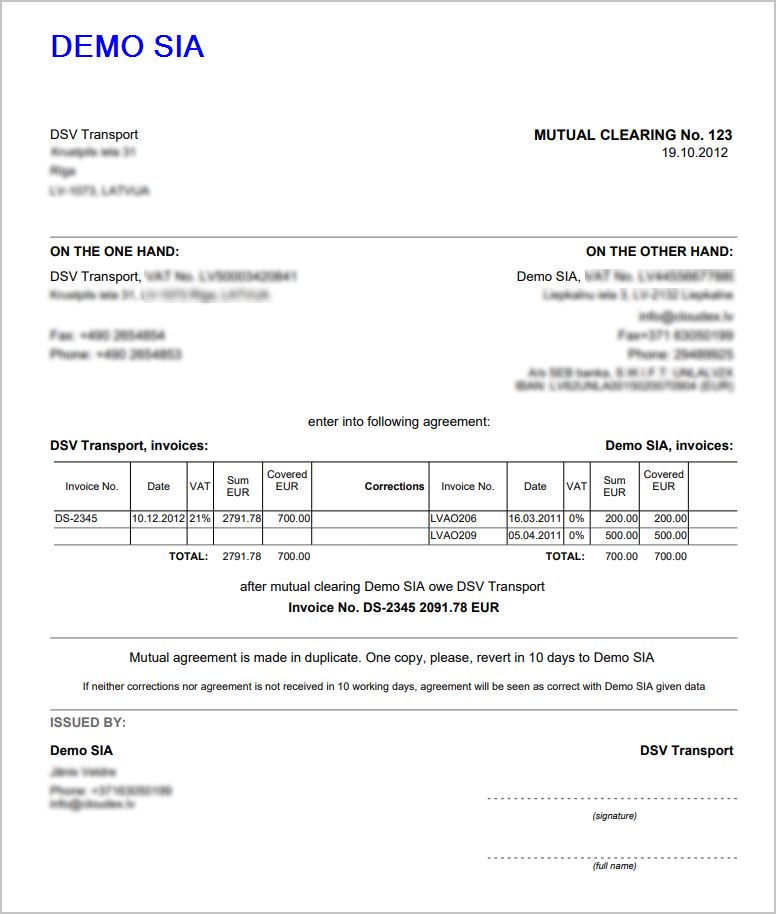
When the Mutual clearing act is approved, the documents attached to it are linked, thus the debt amounts of the documents are canceled and the documents are considered paid.
The Mutual clearing act can be posted in the same way as other payment documents.