6) Incoming invoice
- Incoming invoice for one order
- One incoming invoice for the several orders
1) Incoming invoice for one order
OZOLS > Freight forwarding> Documents > Trip/spedition

2) One incoming invoice for the several orders
OZOLS > Payments > Documents > Incoming invoices
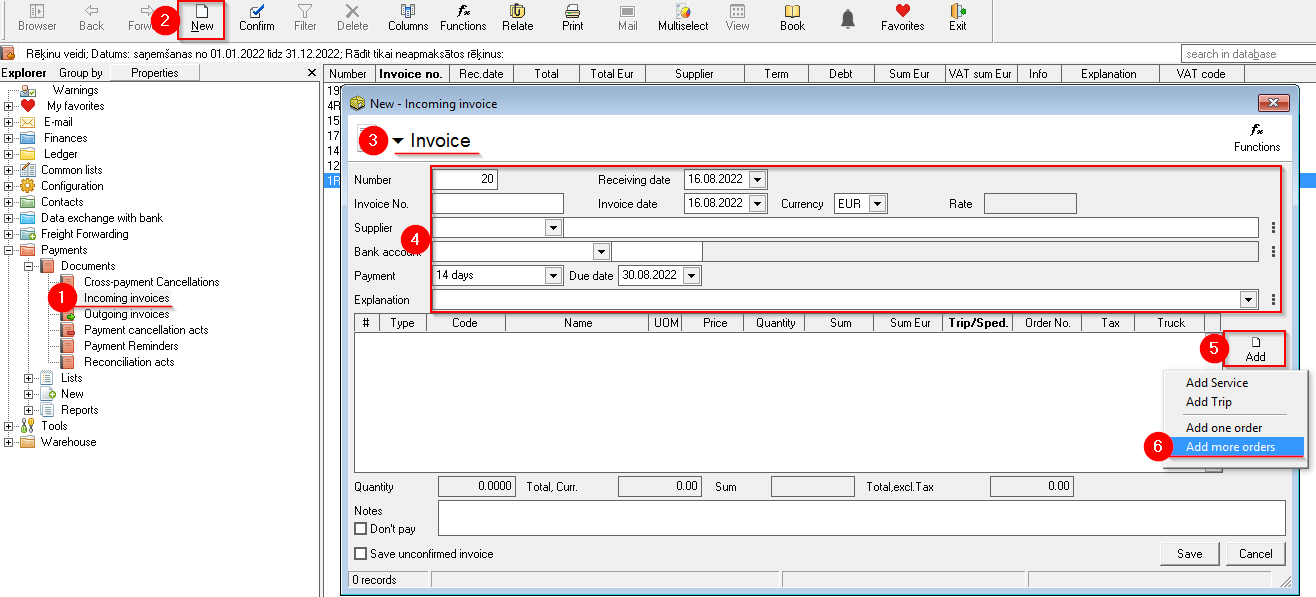
- If necessary, enter the name of the cooperation partner in filter (6)
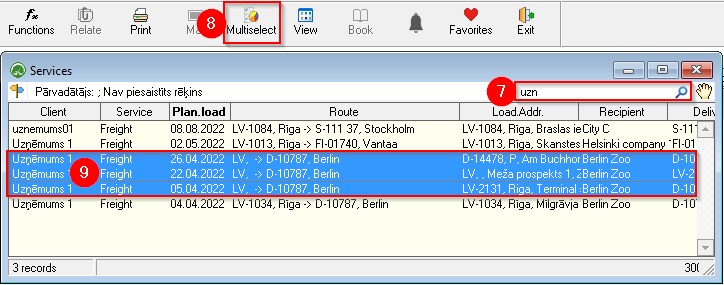
activatesactivate MultiMarkingselect- while holding
downthetheCtrlhighlightmark the requiredloadsorders (8) - by pressing the Enter key or the button
 ,
, flightsorders are added to thebillinvoice