5) How to delete a Client order?
Before deleting the Client order, make sure that it would not be more correct to change the order status to - Cancelled .
Read more about changing the order status here .
- Open the Client order you want to delete.
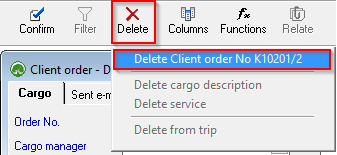
- Press Delete and select Delete Client
Order.Order No ...
If an invoice has already been created for the Client order, program will not allow the order to be deleted!