Exchanging the cargo information in OZOLS TMS
Companies that use OZOLS TMS can exchange order information automatically with reference number.
1) Sending of referencecargo numberinformation
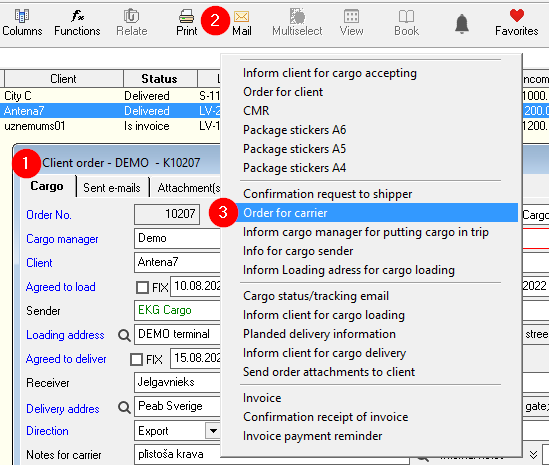

Number of this agreement is the reference number for the partner who receives agreement.
2) Receiving of referencecargo numberinformation
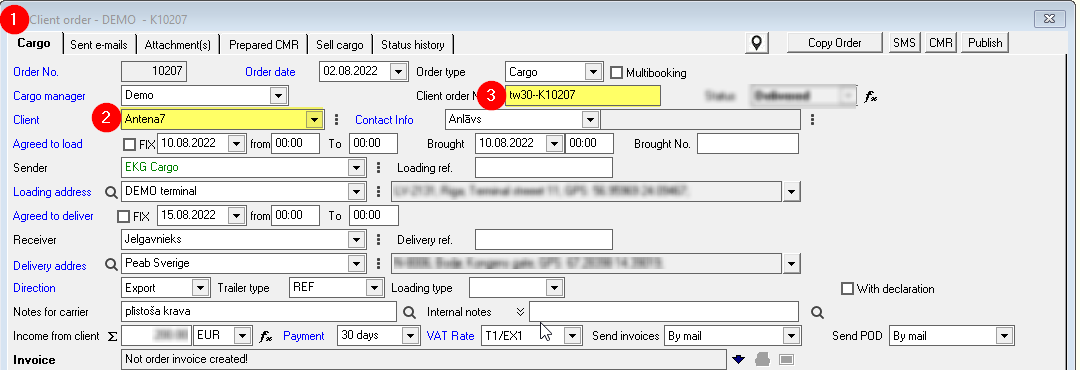
- When creating new client order,
- Enter the name of the Client,
- Enter the number of agreement = Client order Number,
- OZOLS TMS will offer you to fill the information from Partner automatically.
ATTENTION! Some OZOLS TMS user companies have disabled this option.