Credit note for incoming invoice
Contents:
- Creating a credit note for an incoming invoice
- Deed of settlement of invoices for credit invoice of incoming invoice
- Where does OZOLS store settlement settlement acts for credit invoices?
1. Creating a credit note for an incoming invoice
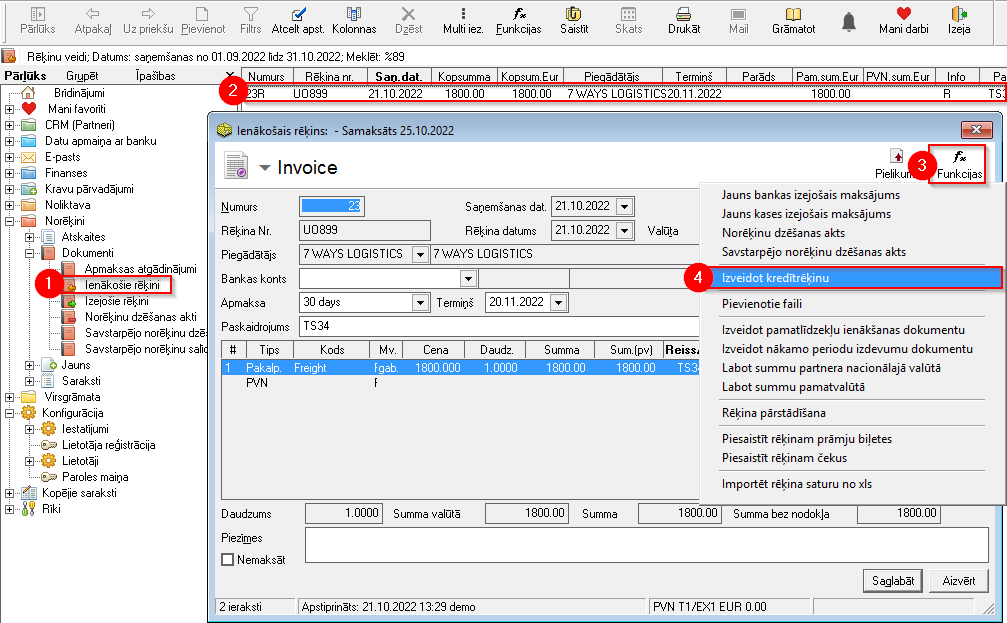
- Open Incoming Invoices
- Finds the invoice for which you need to register a credit note and open it
- In the incoming invoice window, press Functions
 and
and - Create a credit invoice
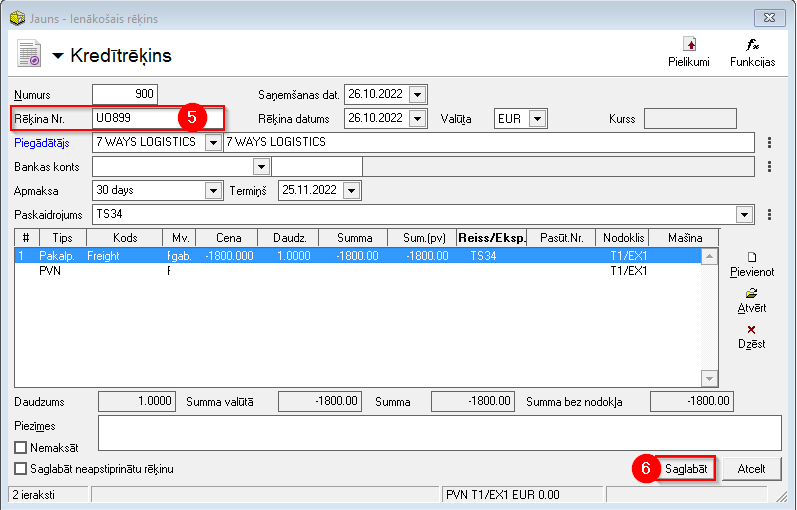
- A new window will open - Credit account. You can enter the number of the credit invoice in this window
- Keep your credit score


2. Settlement cancellation act for incoming invoice credit invoice
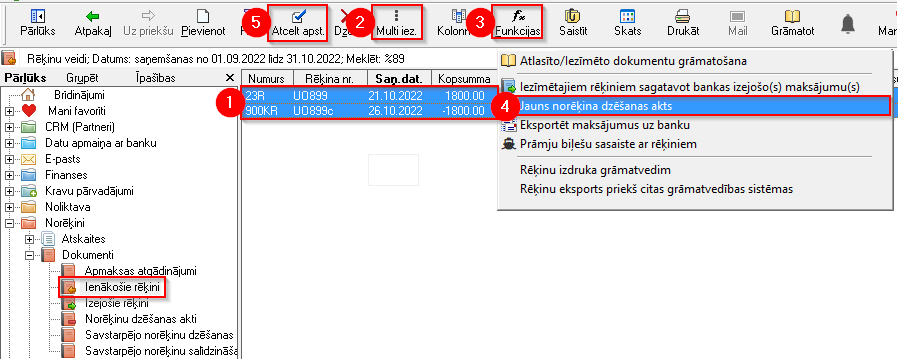
- The Incoming invoices list now shows both the Incoming invoice and the credit note for this invoice (with a negative amount)
- With Multiselect
 and holding the Ctrl key with the mouse, highlight both invoices
 - Functions
- Selects Create settlement cancellation act. When the new act window opens, Save it
- If necessary, invoices are confirmed by pressing



3. Where does OZOLS store settlement settlement acts for credit invoices?
-
The created deed can be found in the section Deeds of settlements
