CMR how to create and print it
How to create and print the CMR for the Client's order?
- Open the Client's order for which the CMR will be prepared
- From the toolbar, select Functions (1) > Create CMR (2)
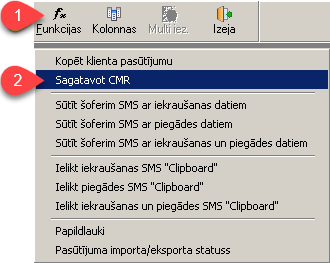
- Based on the Client's order information, the program automatically fills in the CMR fields
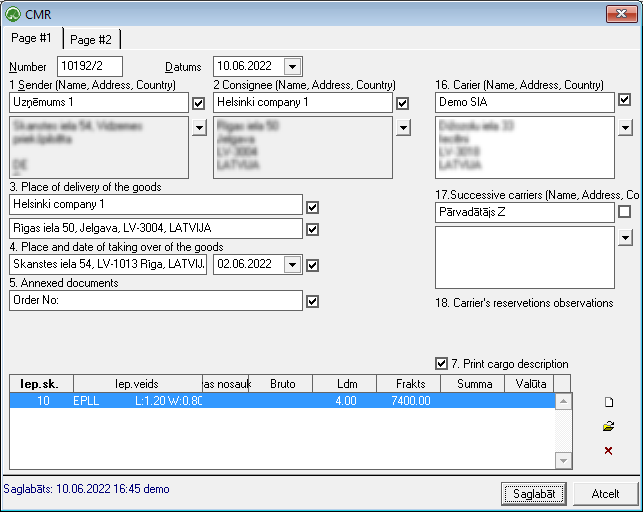
- If any of the fields have not been filled in automatically, you can do so by manually filling in the fields in the form
- Use the toolbar command
 to print the CMR


