Client address in foreign language
Outgoing documents can include the Partner's contact details in a foreign language. To set this :
1) Indicate the preferred language of contact on the Client Card;
2) Translation of the contact details.
Ozols > Contacts > Lists > All partners > [Open Partner card]
Translation is available for the following fields of the Partner card:
- Company Name

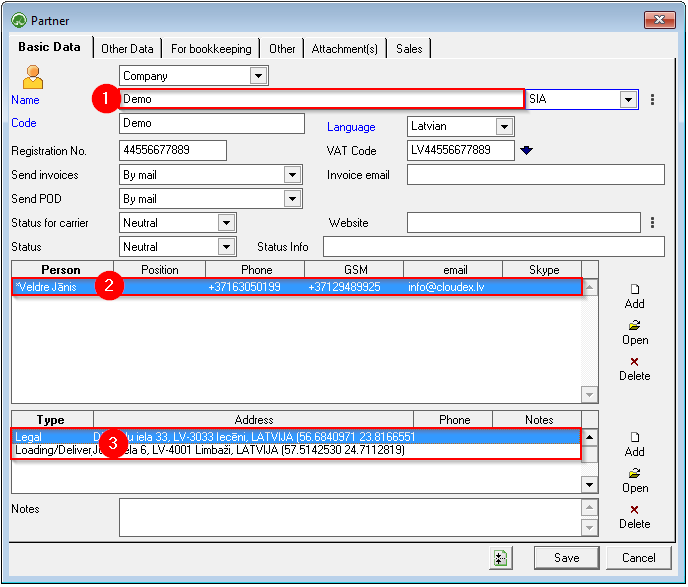
To enter a translation:
- Select the desired field and press the right mouse button ;
- A window opens in which you choose translate ;
- Make an entry in the desired language and save.
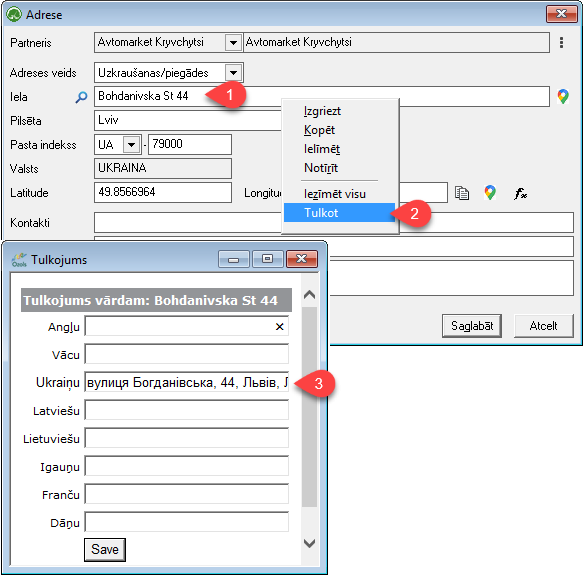

In future outgoing documents, OZOLS TMS will insert contact information in the Partner's language.
See also:
Information in the client's language - foreign language here .
Contract terms in the customer's foreign language here