5) E-mail settings
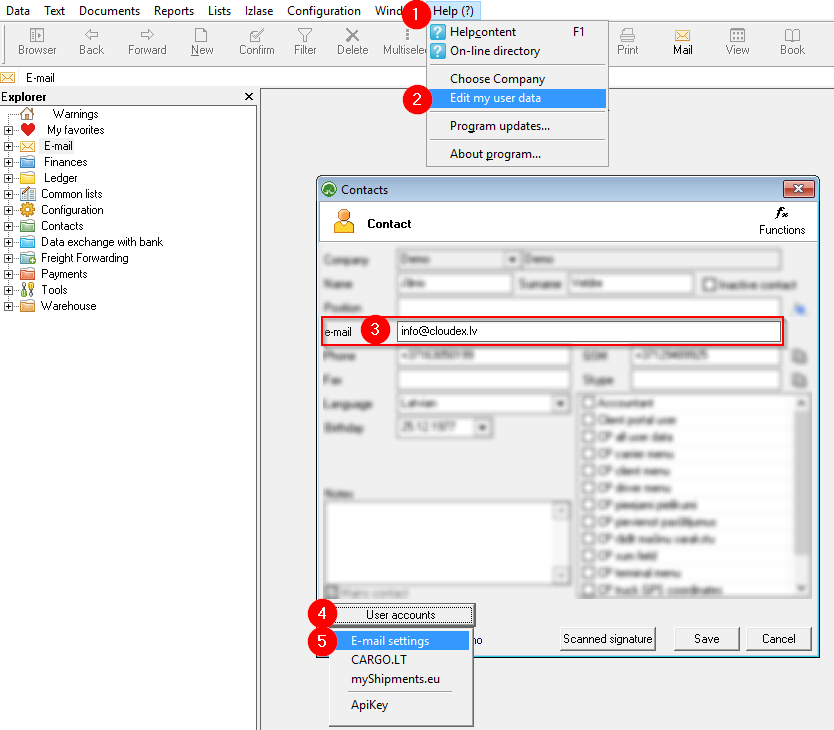
To send emails from OZOLS TMS, you need to enter your e-mail address and e-mail password in system.
If applicable, complete the user data. Make sure that the correct email address is provided! Click User Accounts

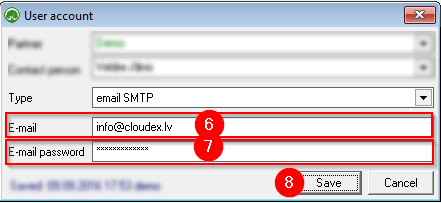
Enter your business e-mail address Enter your business e-mail password Save changes
If you have questions regarding these instructions, please contact the OZOLS TMS Customer Support team: info@cloudex.lv