3) Changing of password and user information
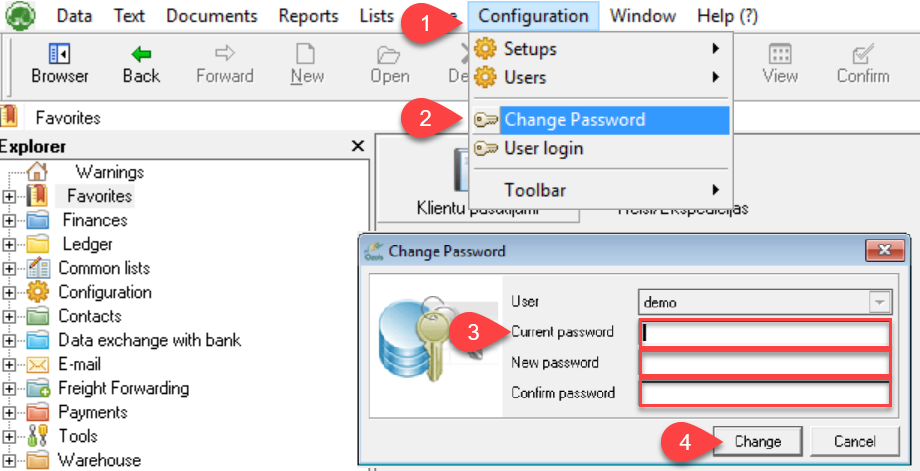
When you start using OZOLS TMS, you receive a user password, which must be changed for security reasons. Follow these instructions to do it:
To change your password, go to: Configuration ⇒ Change password ⇒ Enter requested information
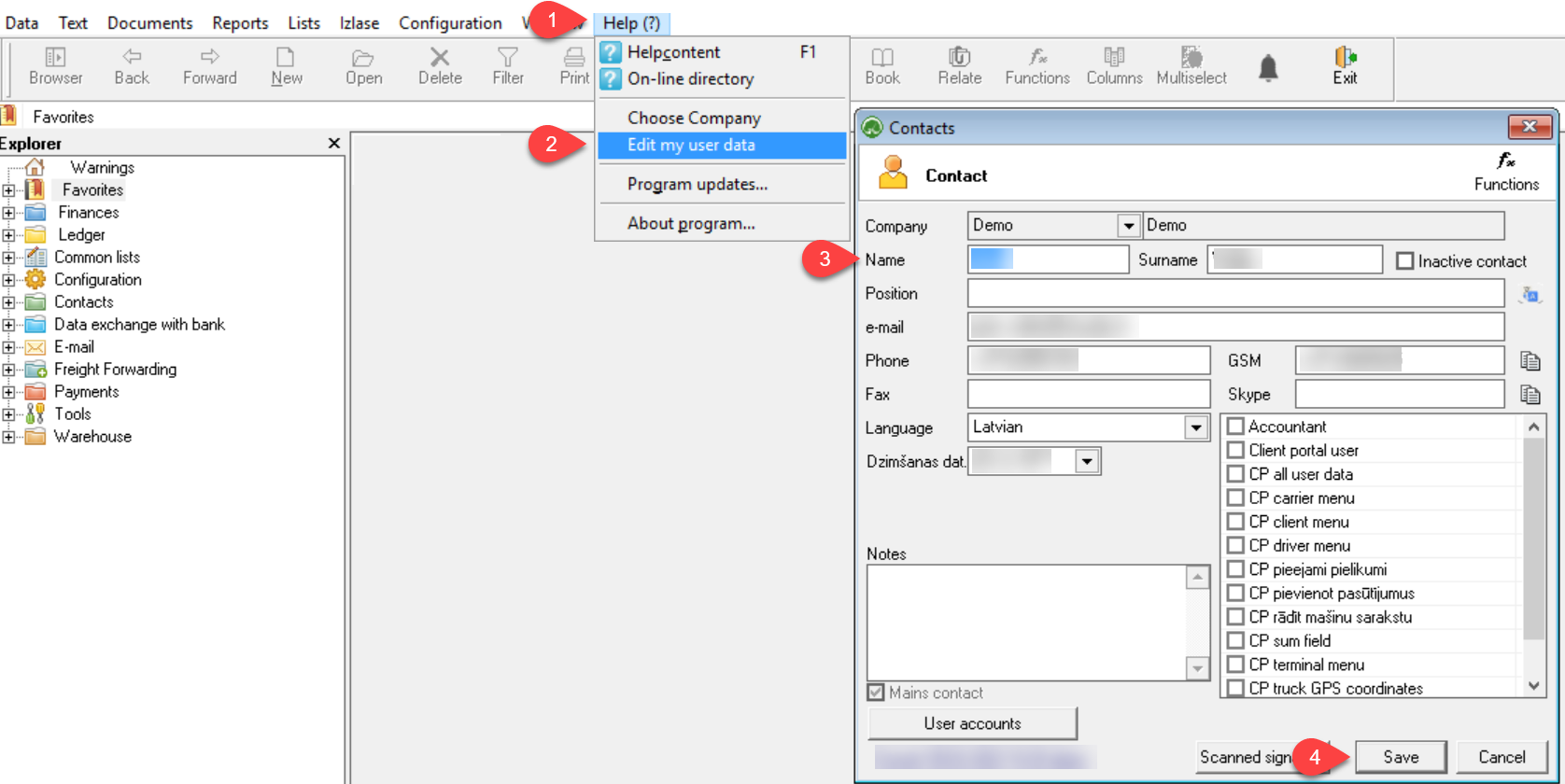
User data is important because it is included as your contact information in various documents generated by OZOLS TMS.
To change your user data, select menu ⇒ Help(?) ⇒ Edit my user data
If you have questions regarding these instructions, please contact the OZOLS TMS Customer Support team: info@cloudex.lv or call +371-28-38-83-00