New Page
Registering an Incoming Invoice
If you need to register a single invoice for multiple trips at once, you can do so in one of the following ways:
- Register an invoice from the Trip form.
- Register an invoice from the Open Trips window.
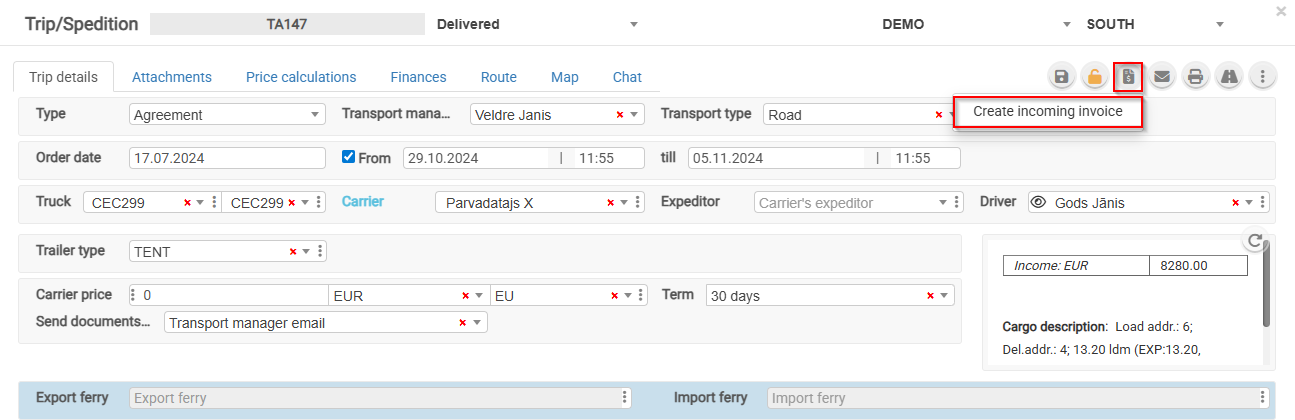
1. Registering an Invoice from the Trip Form
- Open the trip.
- Click the "Register Invoice" button.
image-1724937190436.png
Incoming Invoice_Active Trips.png
For an unconfirmed invoice, it is possible to add other customer orders.
2. Registering an Invoice from the Open Trips Window
- Select the trips for which you want to register an incoming invoice.
- Click the invoice registration icon.
image-1772799091724.png
- Complete the required fields and click Save.
2026-03-06 13_30_49-Open Trip.png
Incoming Invoice Two.png