Invoice "Date sent"
This will answer the question when Invoice "Date sent" is set automatically and when user need to put it manually.
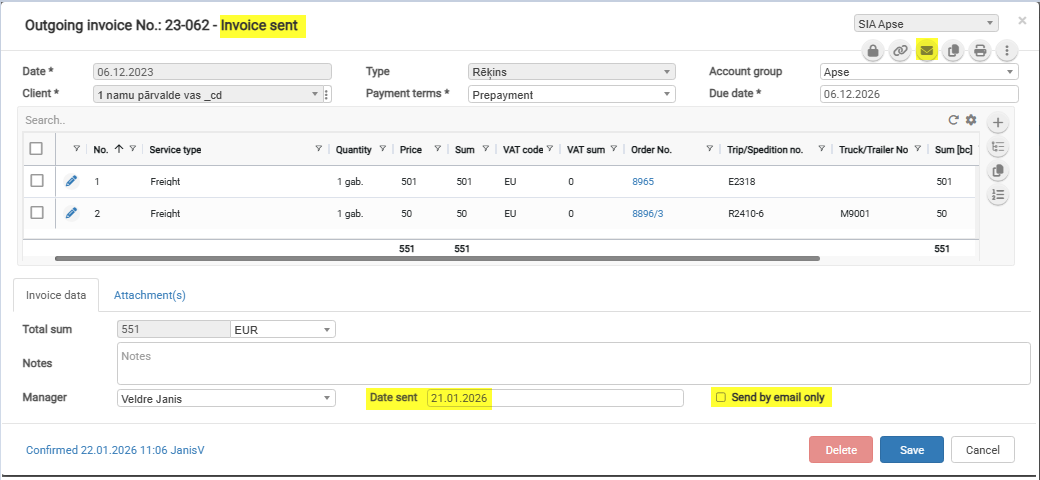
- Status "Invoice sent" is changing automatically when is set Invoice field "Date sent" value
- "Date sent" field will be set automatically when will be checkbox "Send by email only" and invoice will be sent by email
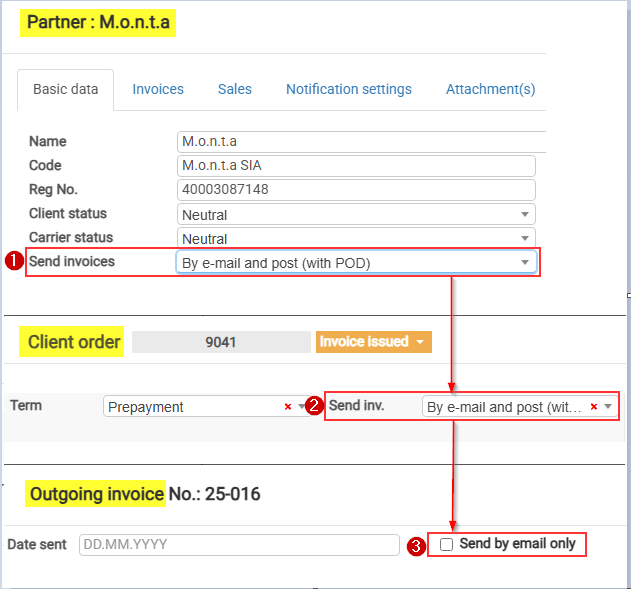
Send invoices values
By e-mail (with POD)*
By post (with POD)
By e-mail and post (with POD)
Don't send (Self-billing)*
Download in client portal*
By e-mail (invoice upon delivery, second time with POD)
By e-mail (without POD)*
Upload to the customer portal together with POD*