Information for the customer about accepting the order
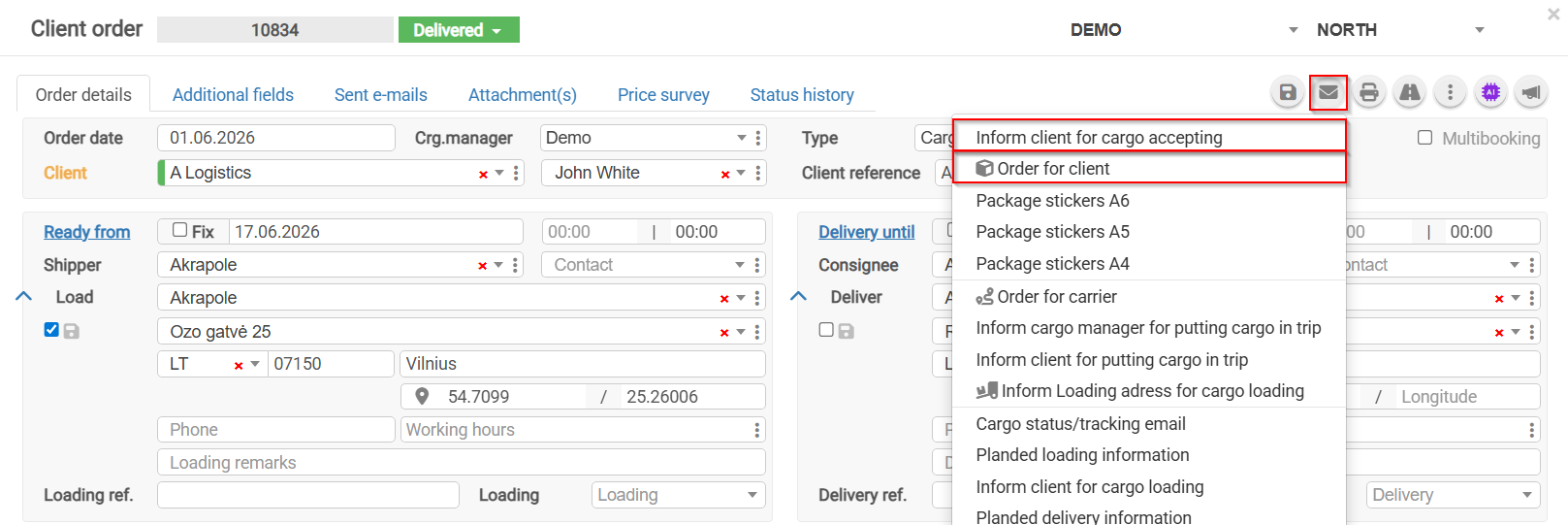
1)
To Searchsend
Thean searchorder functionacceptance allowsconfirmation, youopen to find all records involving athe specific company.customer Byorder.
1 entering.In the companytoolbar, name inclick the searchbutton bar, and select the
 systemappropriate will display all orders in which this company is listed as a supplier, recipient, or in another role. The number 33 indicates that 33 records have been found.option.
2)
2. Increasing Visibility
By selecting how many rowsInformation to displayCustomer perAbout page,Order Acceptance, you can increasesend an automatically generated order acceptance confirmation email.
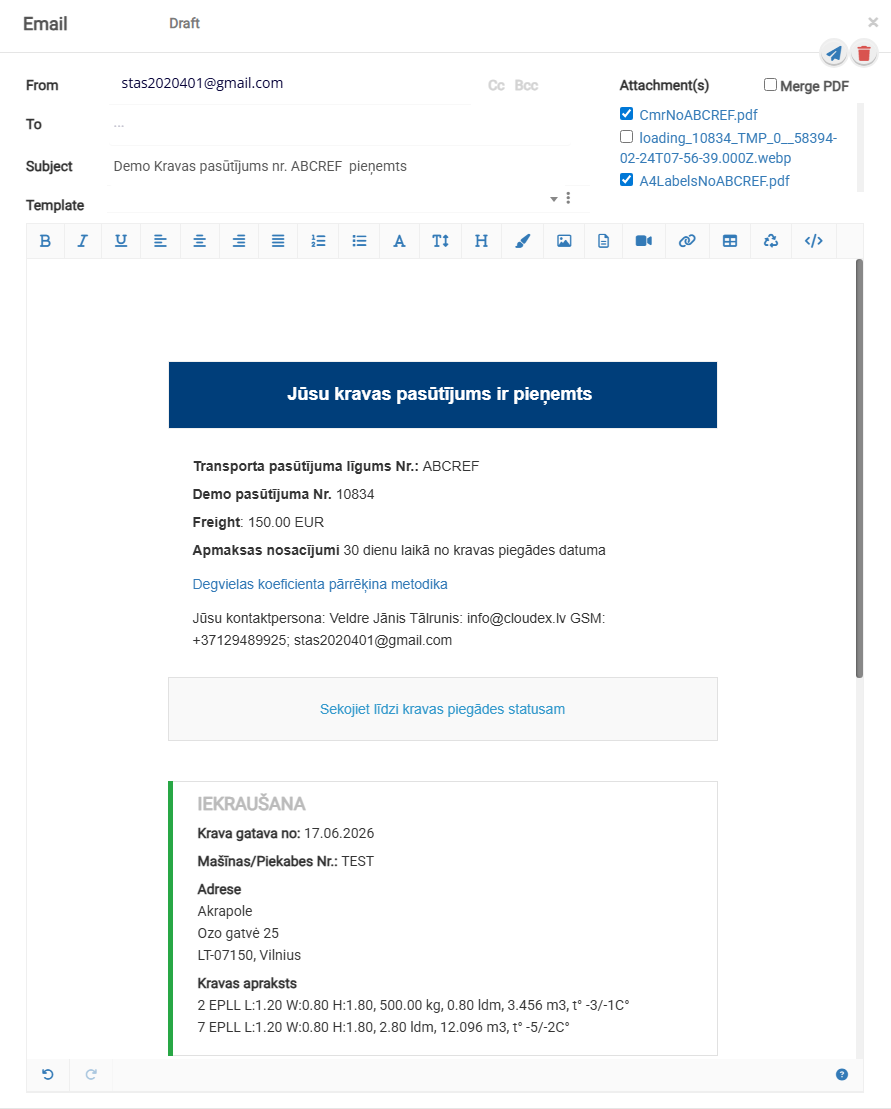
3. By selecting Order to Customer, an email containing the visibleorder data. For example, if you choose 300 rows, a larger amount of dataagreement will immediately be visiblegenerated on the screen, making it easier to analyze information without switching pages.automatically.
2f.png
3) Narrowing the Customer List
To make the results more precise, use the customer filter and select the exact name you are looking for. This narrows the list to only the records related to that specific customer, excluding all others.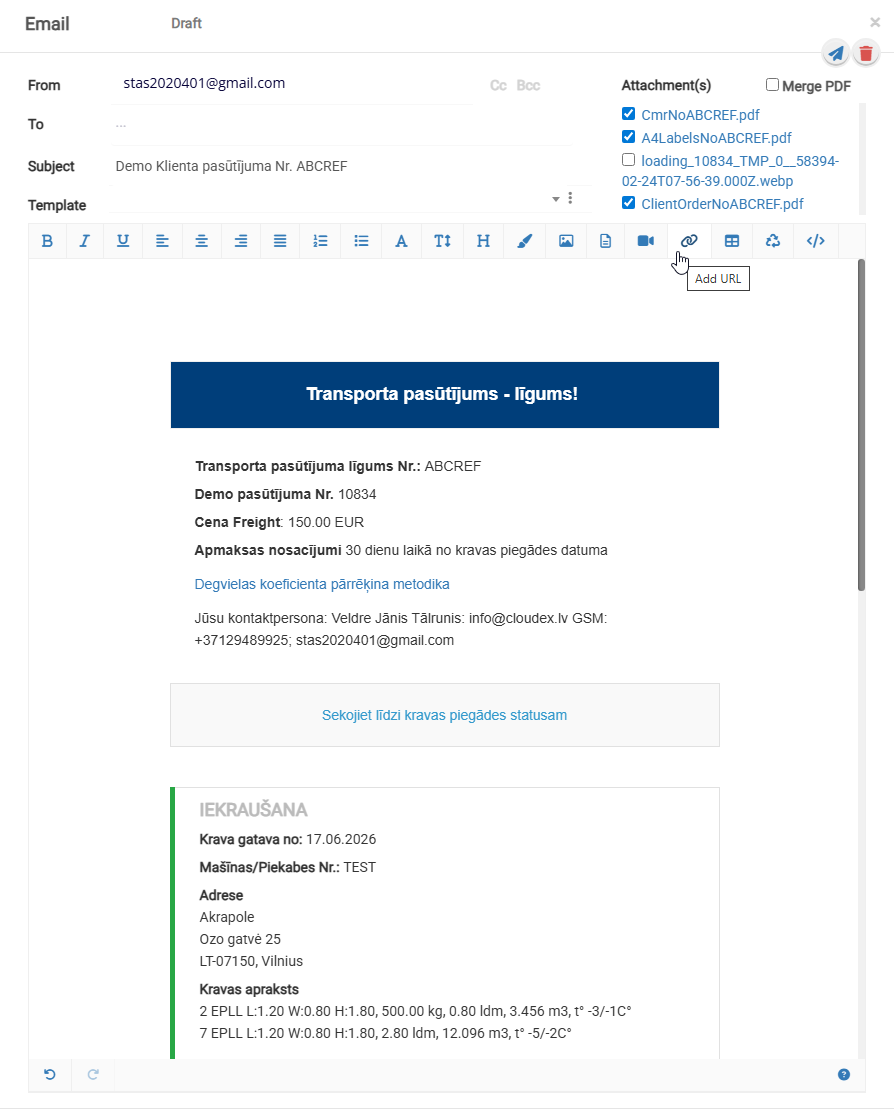
3f.png
filtrimekletajs.png