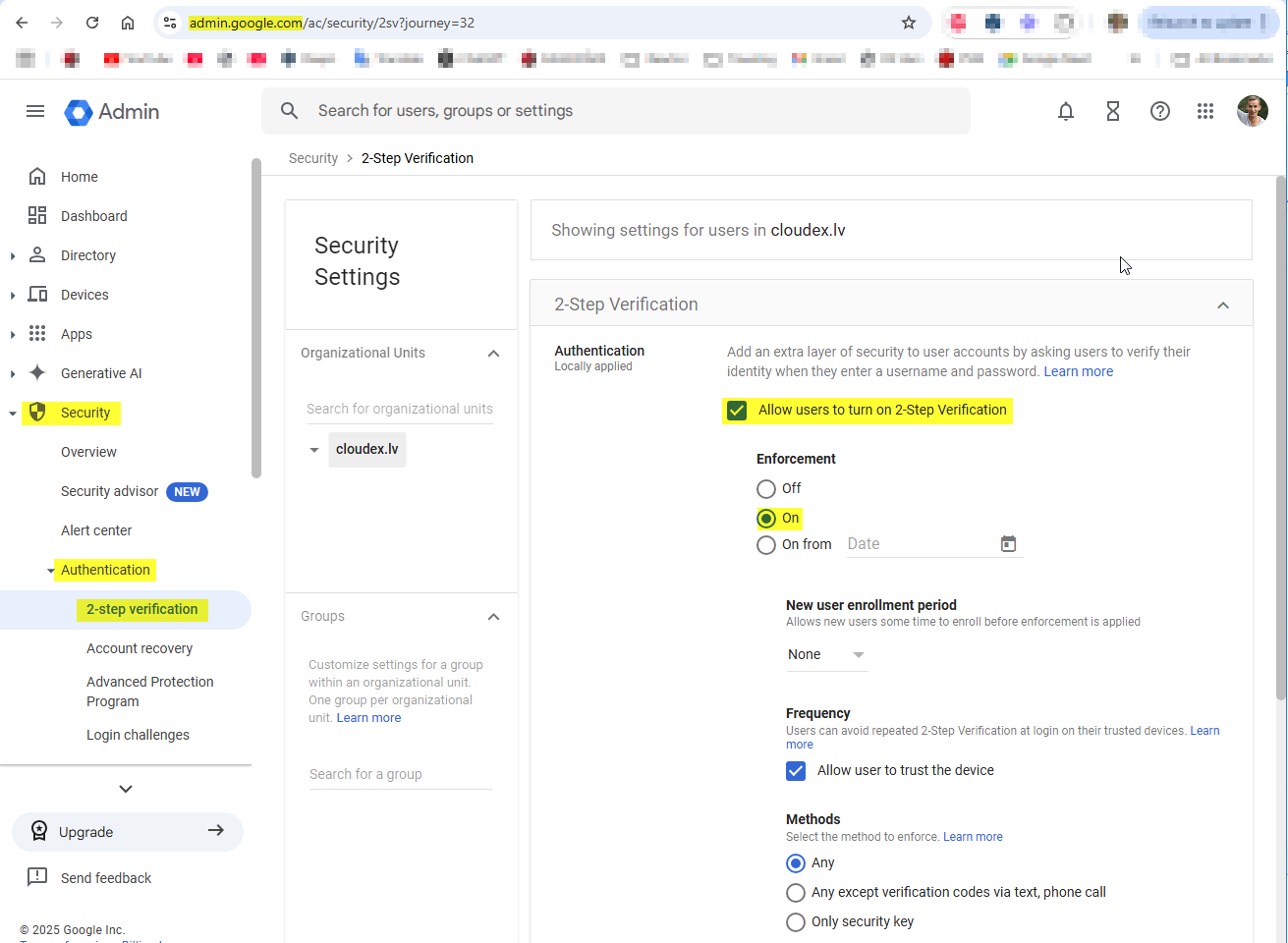
Create google email password
1) Open google account and login:
https://myaccount.google.com/
2) Open Drošība/Security
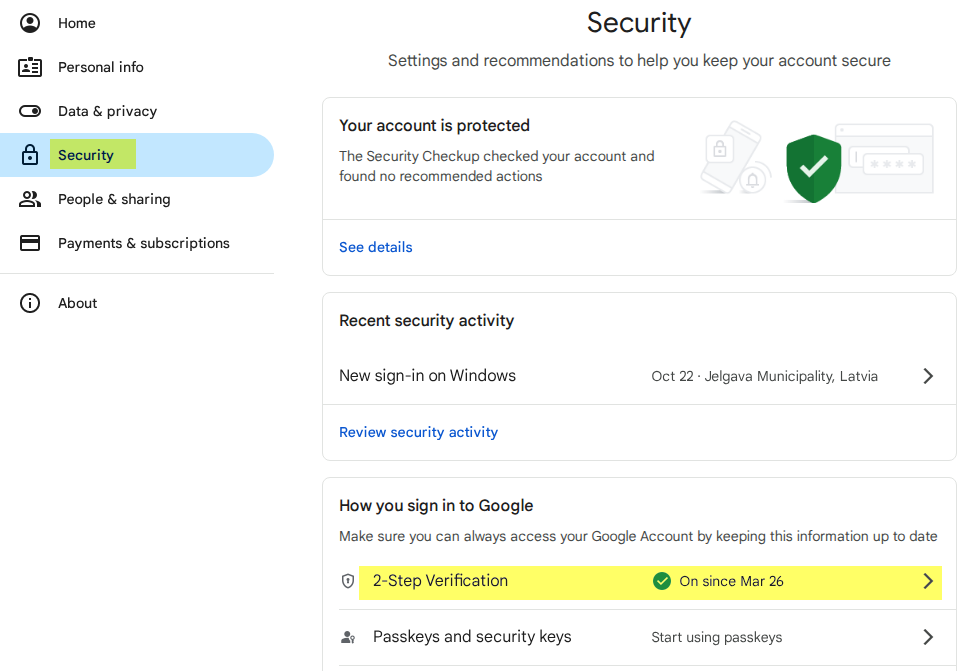
3) Ieslēgt "2-pakāpju verifikāciju / 2-Step verification"
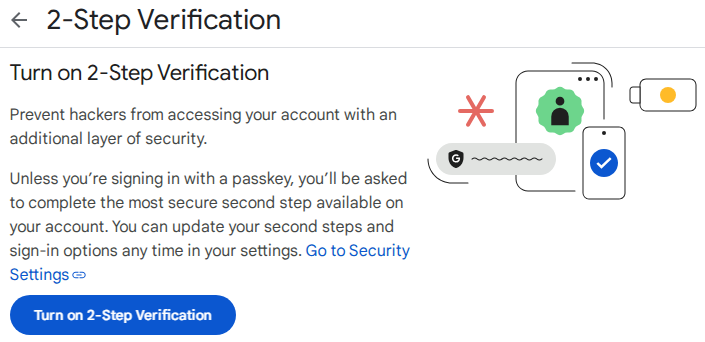
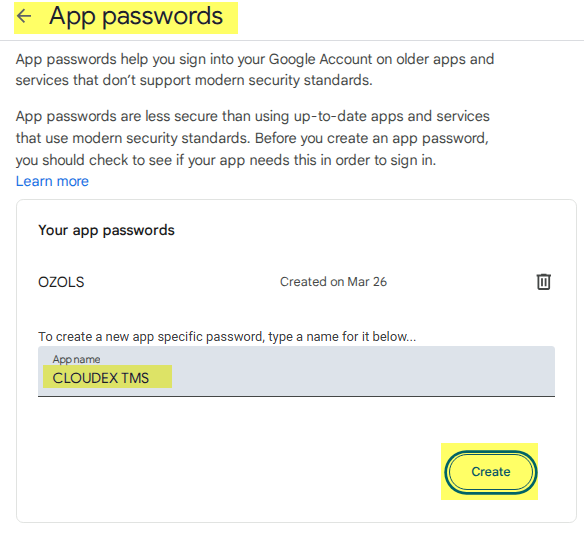
4) Create a password/key for emails
If there is no "App passwords" section in the Two-step verification / 2-step verification section, you must exit the page and re-enter it. Or use the link https://myaccount.google.com/apppasswords
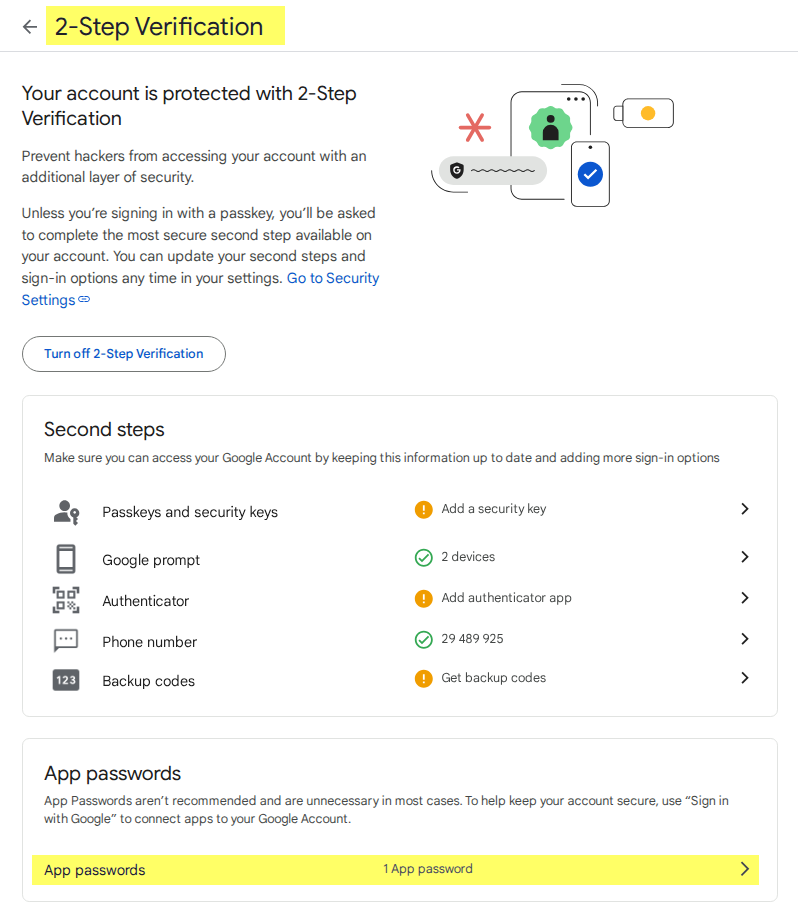
5) Create password
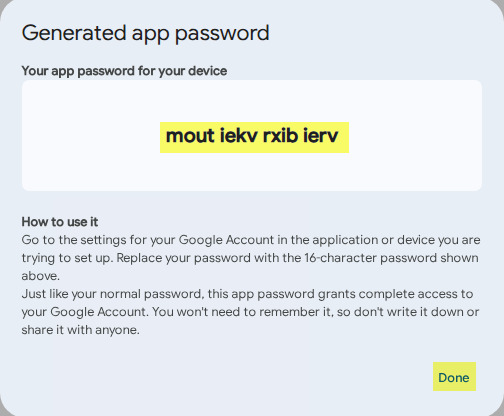
6) Copy new password and enter it in OZOLS or CLOUDEX TMS
Instructions for entering your email password in Ozols: https://ozols.lv/doc/books/ozols-tms-latviski/page/5-e-pasta-iestatijumi
Instructions for entering your email password in CLOUDEX TMS: https://ozols.lv/doc/books/cloudex-tms-latviski/page/e-pasta-iestatijumi
Companies must have the option enabled that is available
InstrukcijaInstrukction no pašafrom google