Create google email password
1) Open google account and login:
https://myaccount.google.com/
2) Open Drošība/Security
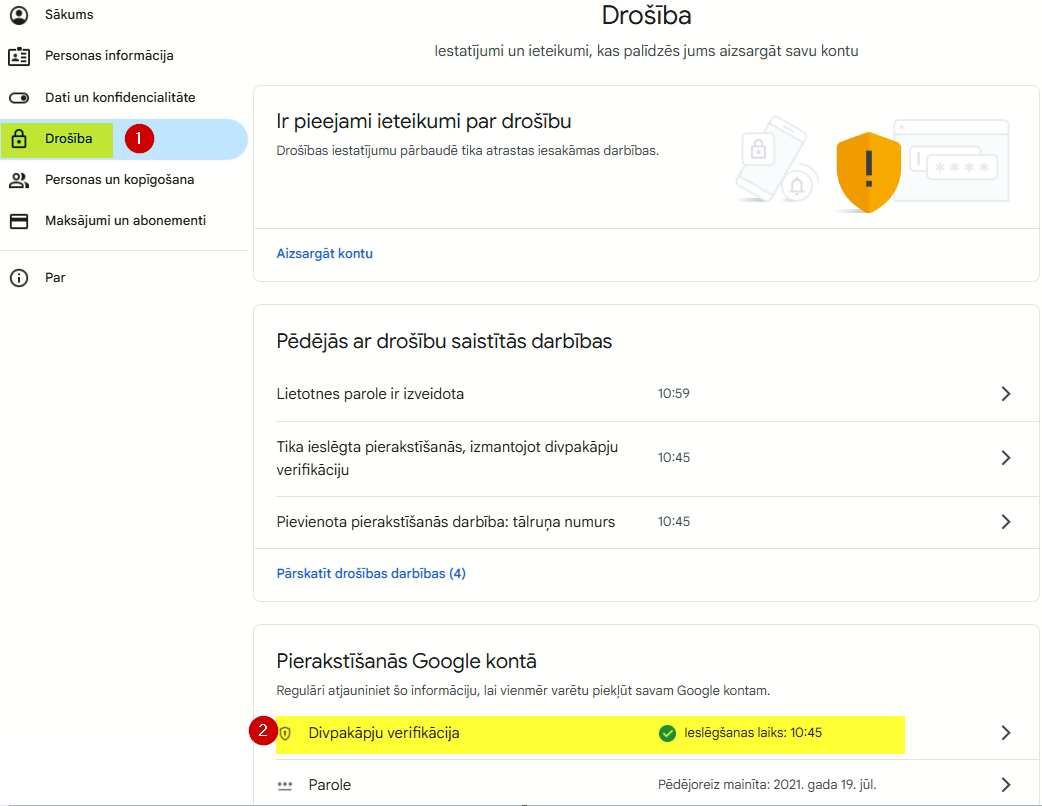
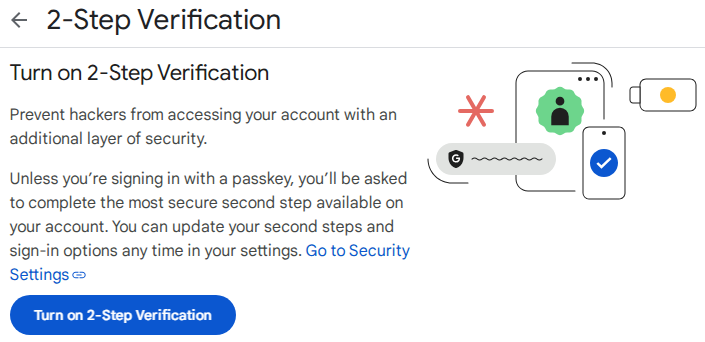
3) Ieslēgt "2-pakāpju verifikāciju / 2-Step verification"
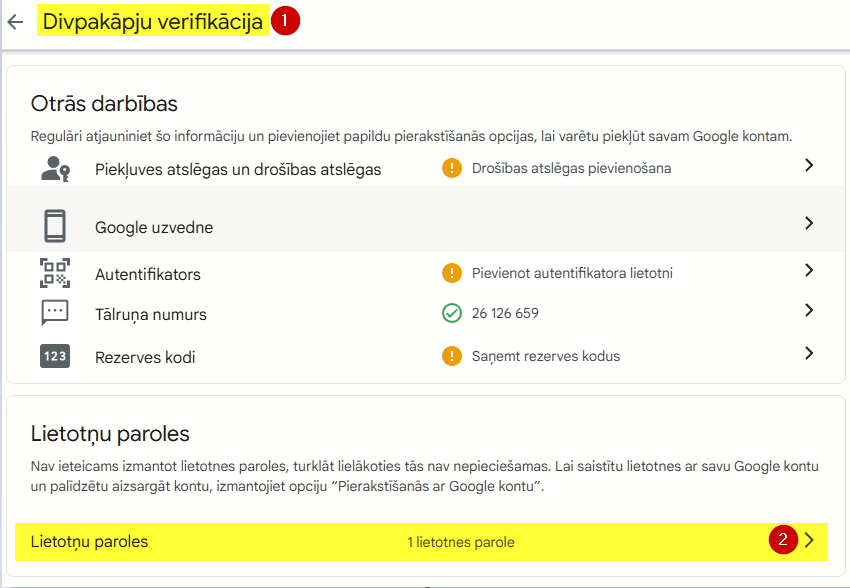
4) Izveido paroli/atslēgu e-pastiem
Ja Divpakāpju verifikācijas / 2-setp verification labā nav sadaļa "Lietotņu paroles / App passowords" tad ir jāiziet no lapas un tajā jāieiet vēlreiz. Vai lietojiet saiti https://myaccount.google.com/apppasswords
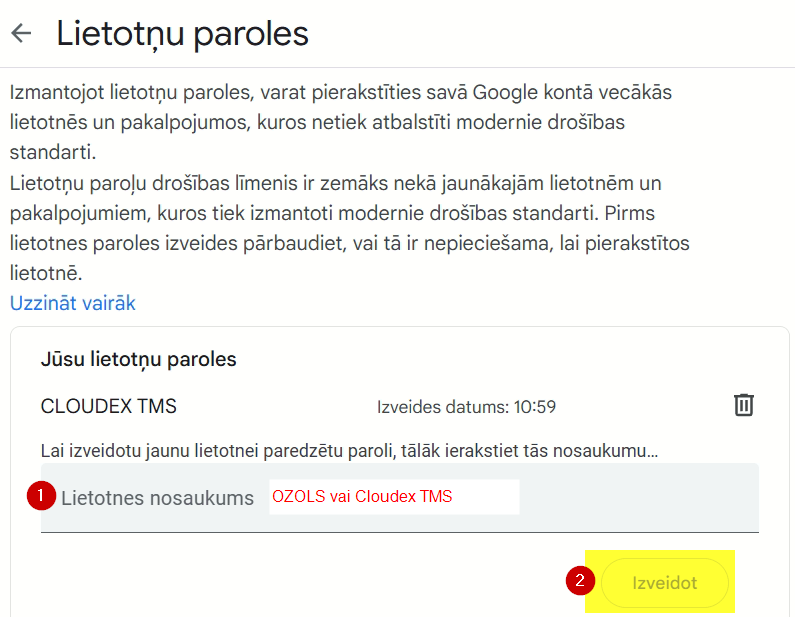
5) Paroles izveide
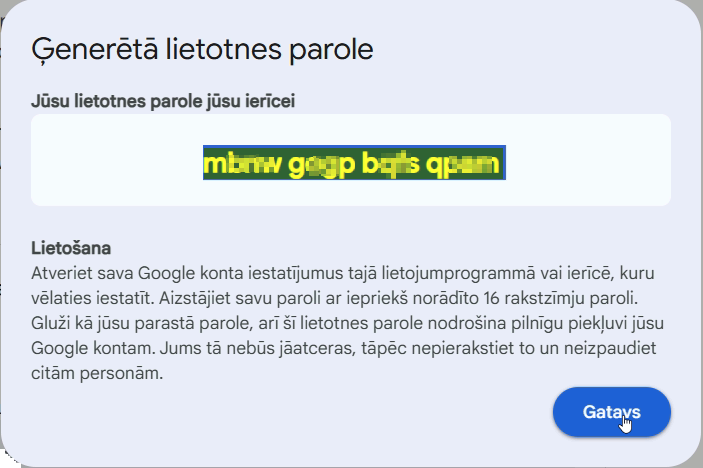
6) Copy new password and enter it in OZOLS or CLOUDEX TMS
Instructions for entering your email password in Ozols: https://ozols.lv/doc/books/ozols-tms-latviski/page/5-e-pasta-iestatijumi
Instructions for entering your email password in CLOUDEX TMS: https://ozols.lv/doc/books/cloudex-tms-latviski/page/e-pasta-iestatijumi
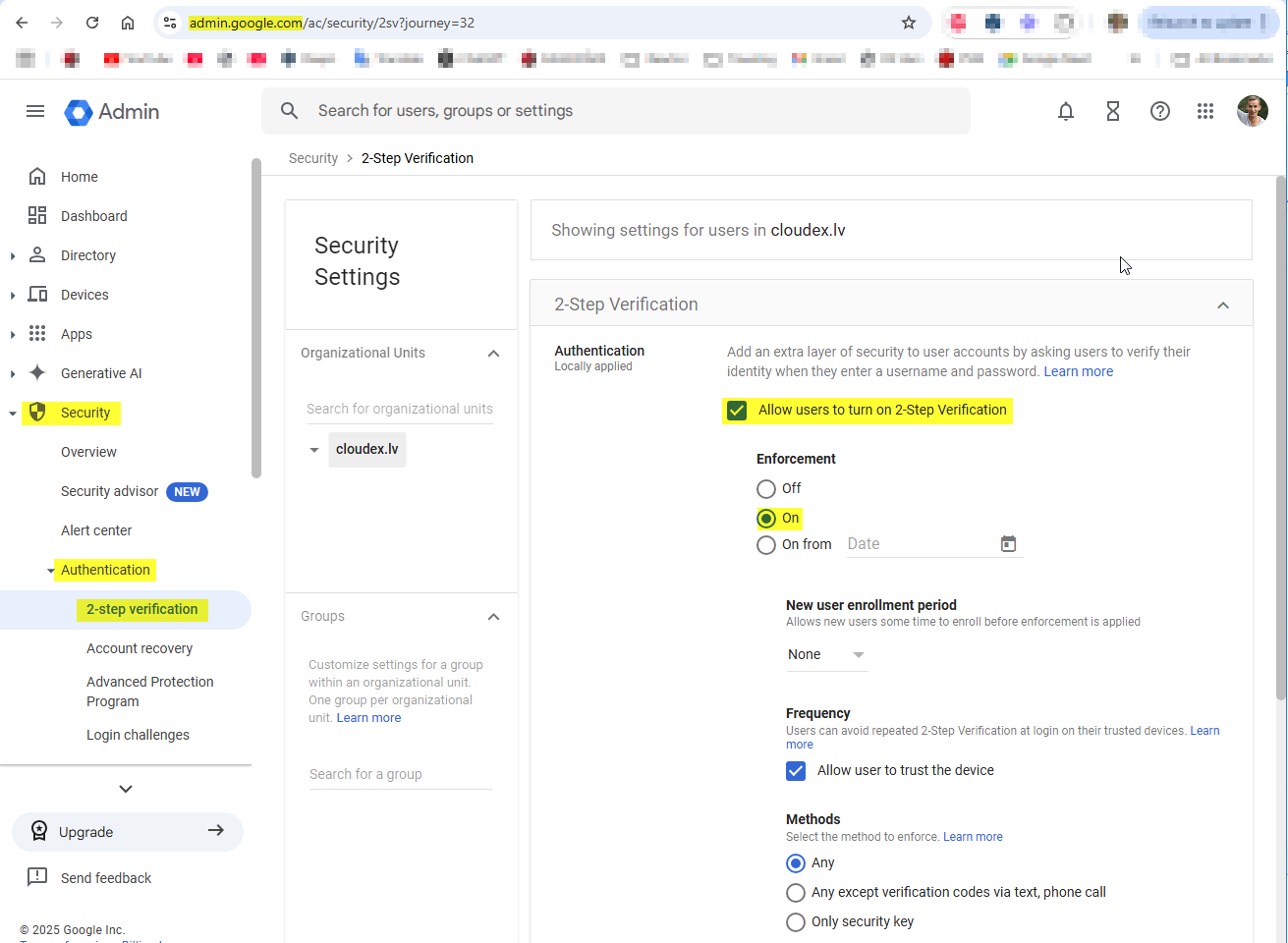
Uzņēmumiem ir jābūt ieslēgtai iespējai ka ir pieejam "2-step Verification"