Skip to main content
dokumentācija
View All
Search
Shelves
Books
Log in
Info
Content
Books
CLOUDEX TMS - ENGLISH
9. Bank payment import...
Bank outgoing payment ...
Bank outgoing payment export
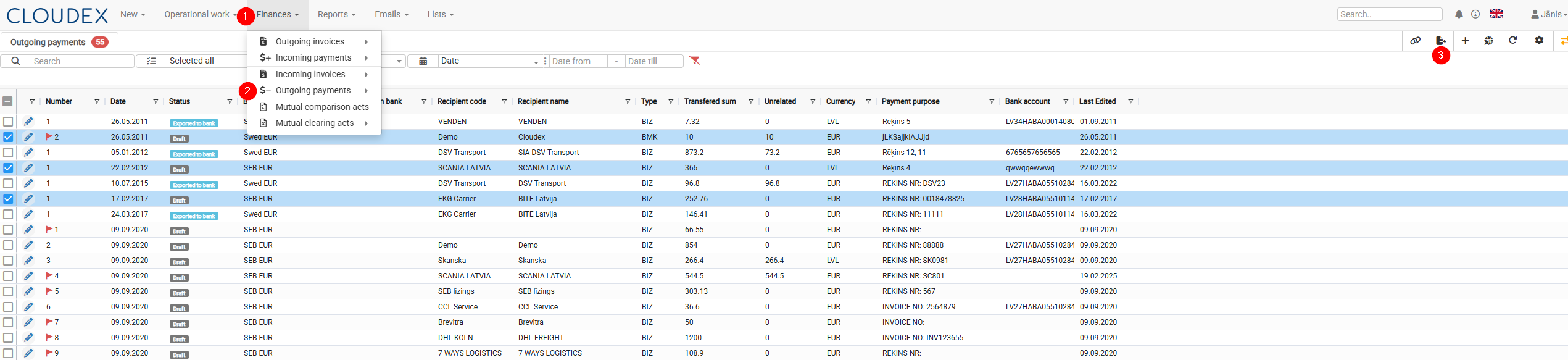
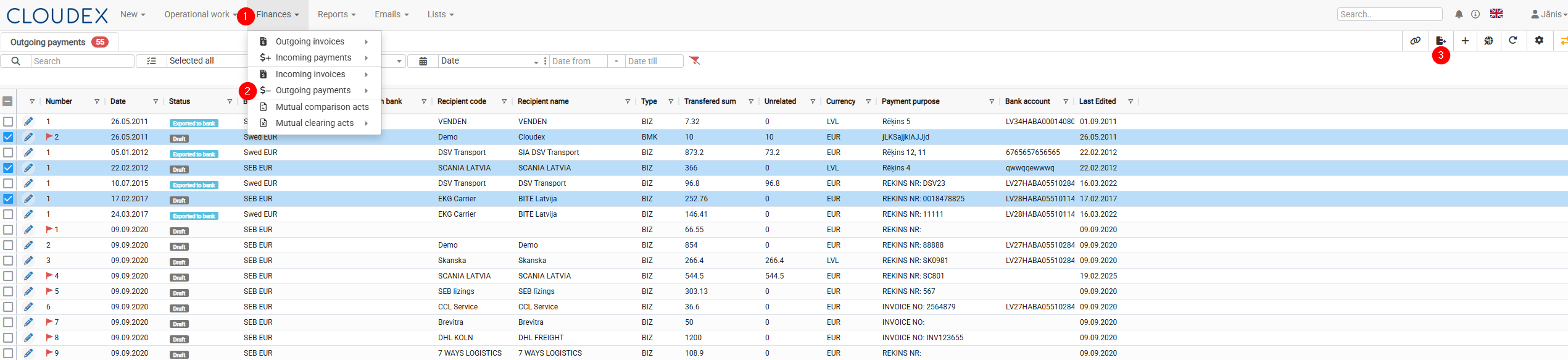
In the top menu, click on
"Finance"
.
In the drop-down menu that opens, select
"Outgoing payment"
.
The system will open the
Outgoing payment
list, where you will be able to:
import bank payments.
Enter section select mode
Previous
9. Bank payment import/export
Next
Bank incoming payment export
0 Comment Threads
0 Archived
No comments to display
No comments to display
Back to top
No comments to display
No comments to display