Ozols TMS allows translation in client's language, for example content of invoice - **Type of service; VAT rate explanation; Payment term**
#### How to translate information into the client's language?1. Translation is possible for fields that have a symbol [](https://doc-ozols-lv.translate.goog/uploads/images/gallery/2022-04/image-1649835497887.png?_x_tr_sl=lv&_x_tr_tl=en&_x_tr_hl=en&_x_tr_pto=wapp) on the right side. It opens a window where you can enter the required translation.
#### Service type translation into a foreign language 1. **OZOLS > Payments > Lists > Service types** 2. Choose the service that needs translation 3. Press the translate button **[](https://ozols.lv/doc/uploads/images/gallery/2022-04/image-1649835497887.png)** 4. Fill in the translation in corresponding language [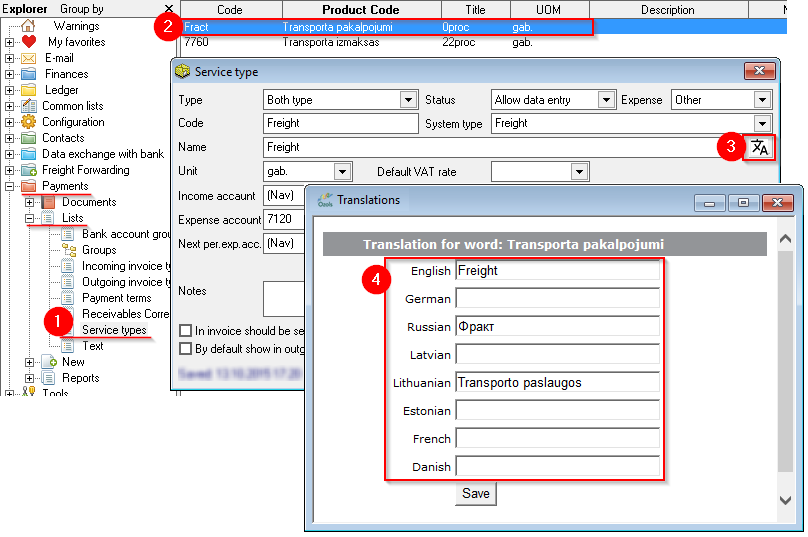](https://ozols.lv/doc/uploads/images/gallery/2022-10/image-1666616974911.png)