# Ferry ticket invoice
##### 1. To register a ferry ticket create new incoming invoice
**OZOLS > Payments > Documents > Incoming invoices > New**
[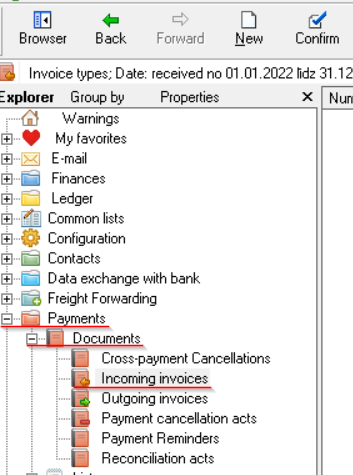](https://ozols.lv/doc/uploads/images/gallery/2022-09/image-1663313335249.png)
##### 2. Connect Ferry invoice with Trip/Spedition
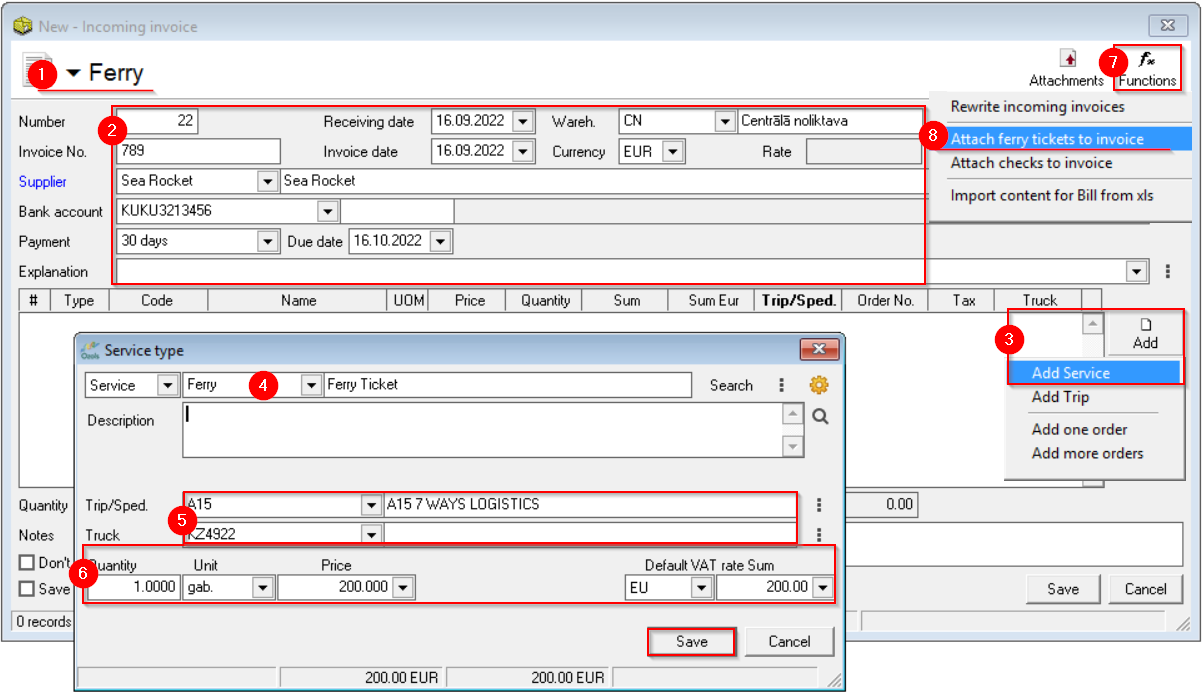
1\) Select **Ferry**
2\) Enter **invoice information**;
3\) Add **Service ;
4\) Choose a service - **Ferry** (If not, create one); **5)** Completed **by Trip/Sped. and Car** fields **6)** Enter **the Invoice amount** and save;
7\) Press the **Functions** [](https://ozols.lv/doc/uploads/images/gallery/2022-05/image-1651737125163.png) button;
8\) Attach ferry tickets to the invoice.
[](https://ozols.lv/doc/uploads/images/gallery/2022-09/image-1663315115843.png)
##### 3. Linking ferry tickets to invoices
**OZOLS > Freight forwarding> Tools > Ferry tickets linking with invoices**
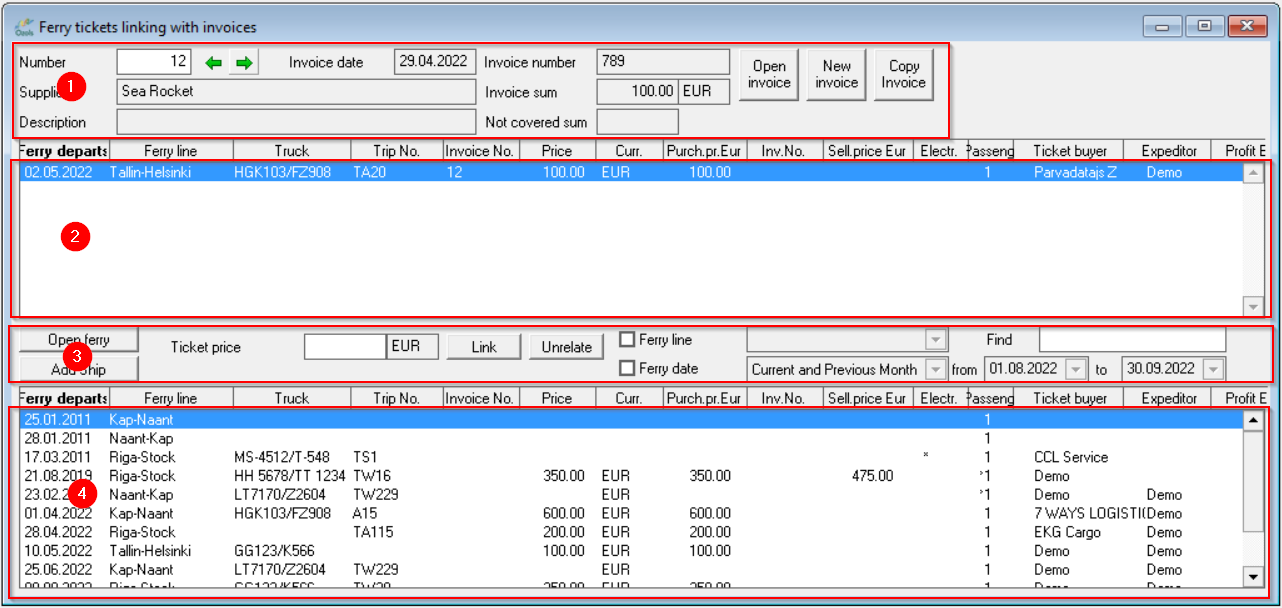
Window areas:
1. Invoice information;12
2. Ferry tickets attached to the invoice;
3. Search tools;
4. Ferry tickets not linked to invoices.
[](https://ozols.lv/doc/uploads/images/gallery/2022-09/image-1663315378582.png)
**A ferry ticket is attached or detached from the Invoice by double-clicking on it.**
It is possible to attach several tickets to one invoice.
#### Read more:
[Adding ferry tickets](https://ozols.lv/doc/books/ozols-tms-english/page/3-adding-a-ferry-ticket)